All features

Live Studio

Live

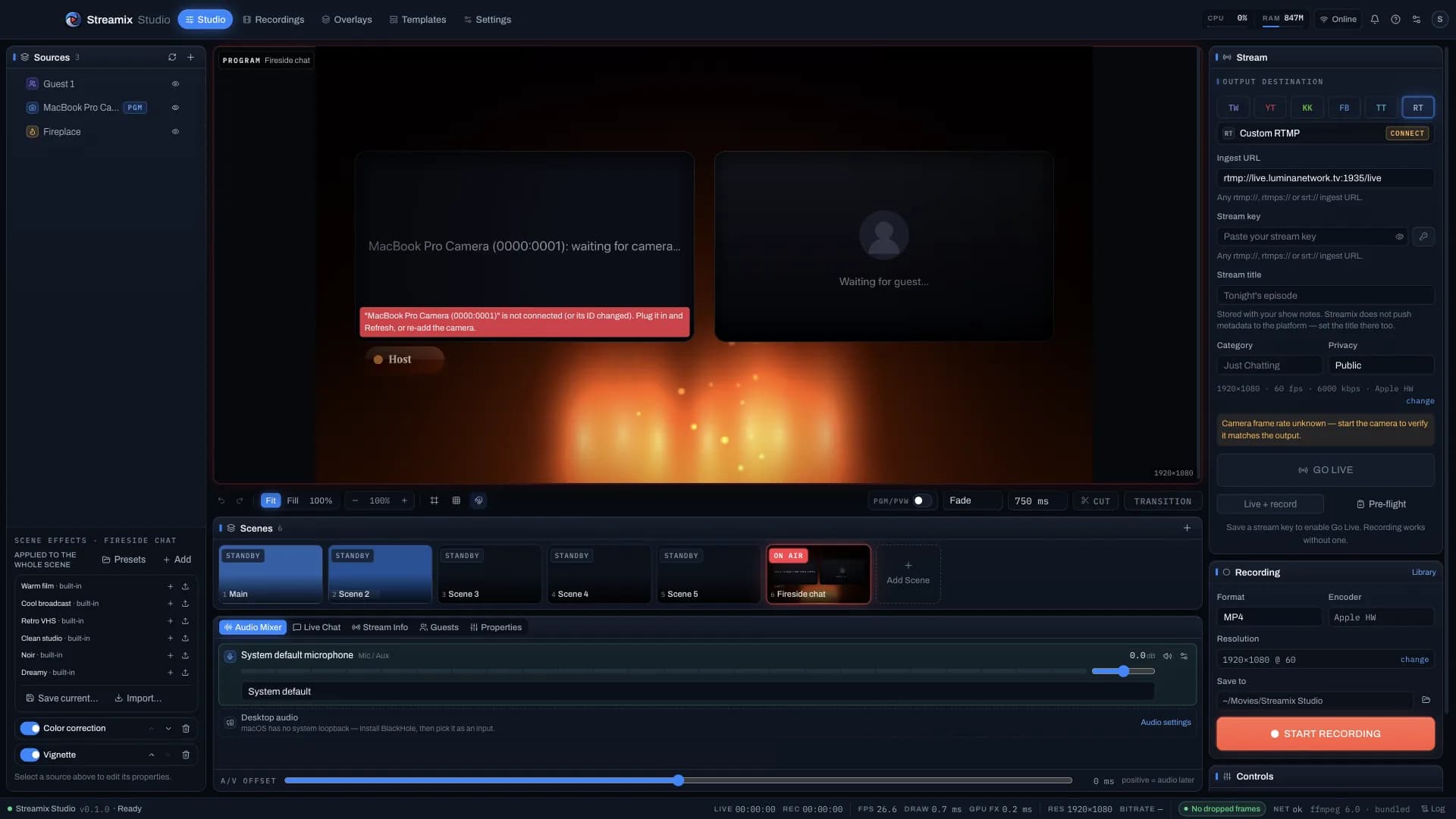
One producer desk: sources, preview / program, scenes, mixer, overlays and destinations — with a camera path built to hold cadence, not just look good in a demo.

14 features · 13 shipped

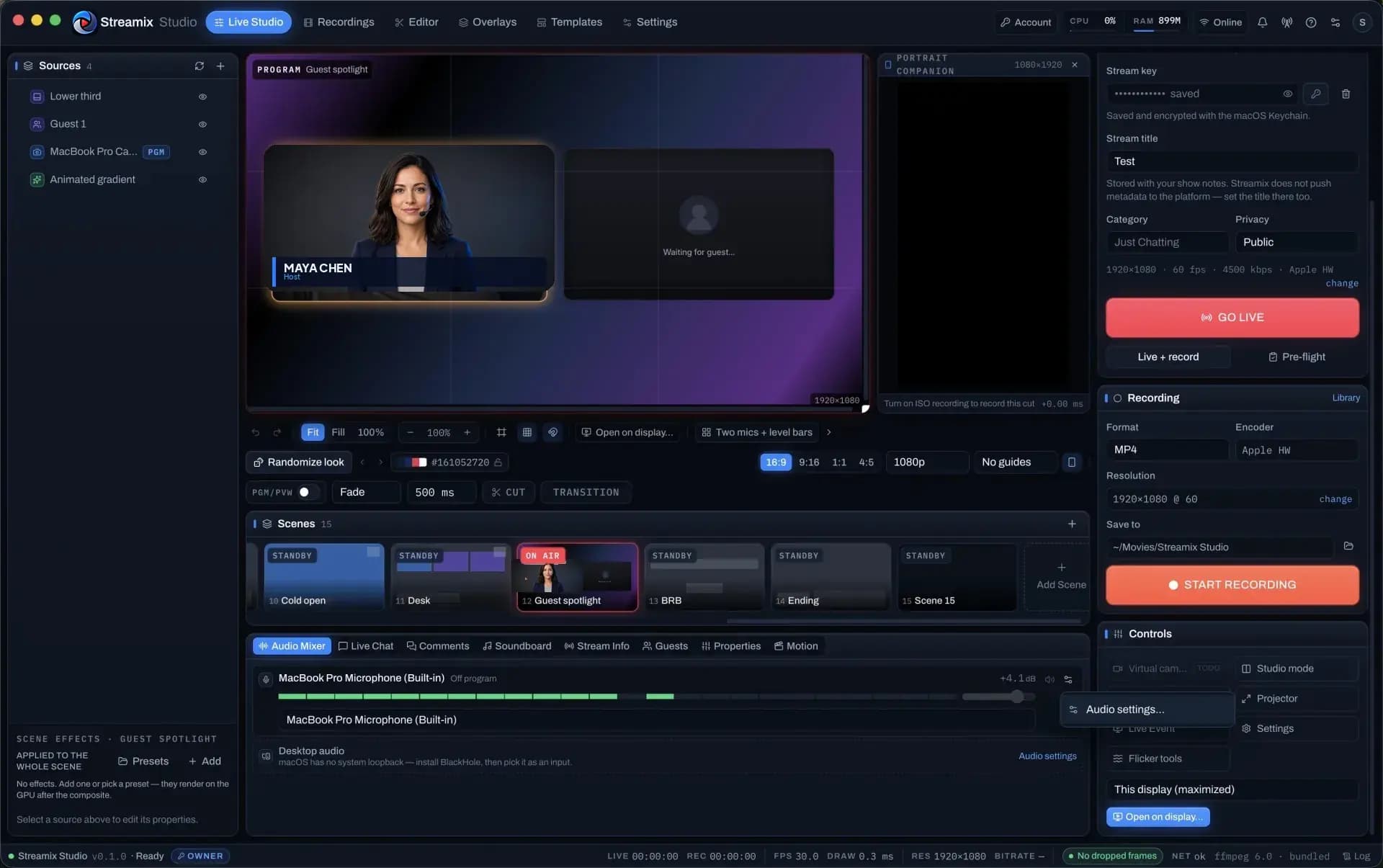
Live Studio — program canvas, scenes, mixer and go-live controls
All plans

Flicker-free Direct Camera capture

ffmpeg captures the camera itself at an exact frame rate and size and encodes constant-frame-rate H.264 — no browser, no canvas, no frame re-timing in the path.

  • Exact-rate AVFoundation / DirectShow capture; devices bound by name, re-resolved before every spawn
  • Encoder preview in Direct mode (MJPEG side output of the frames actually encoded)
  • Flicker Troubleshooter + Flicker Analyzer: 6 s idet / signalstats capture → fps, jitter, dup/drop, interlace, black frames, mains beat
  • OBS detection with a one-click Quit OBS when it holds the device
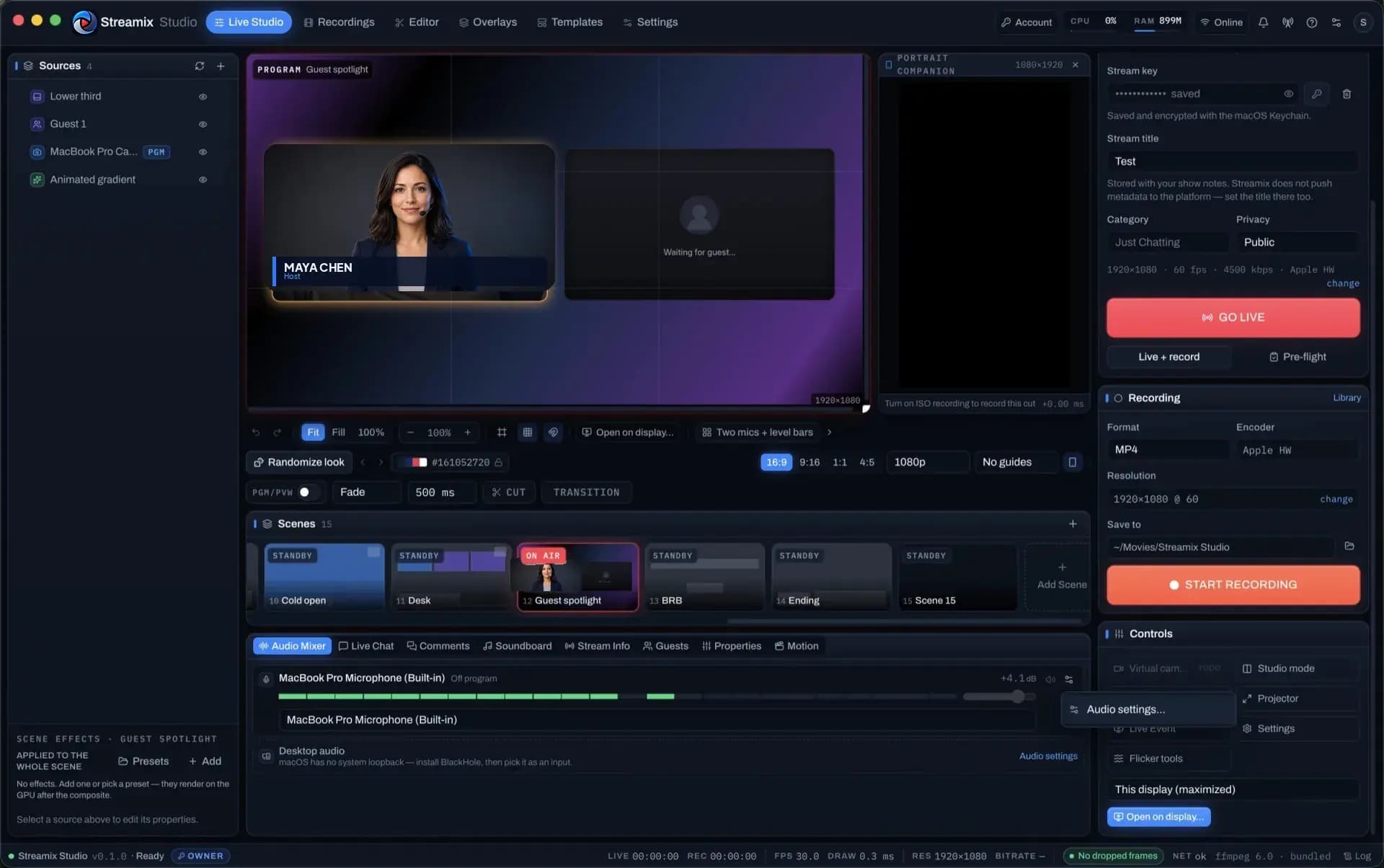
Live Studio — program canvas, scenes, mixer and go-live controls
All plans

Composited canvas drawn once per camera frame

A 1080p → 4K canvas with camera, screen, image, text, video and generator layers, drawn on requestVideoFrameCallback so the compositor never re-times the camera.

  • WebCodecs H.264 encode in the renderer, muxed to Matroska with real timestamps before ffmpeg
  • FrameClock inserts / drops to hold CFR; watchdog resets the encoder without touching ffmpeg
  • Stream + record at once (tee), RTMP(S) / SRT ingest, MKV / fragmented MP4 recording
  • Signal-loss BRB slate, reconnect with backoff, pre-flight checklist before Go Live
Live Studio producer desk with guest spotlight layout
All plans

WebGL FX + AI background removal

Per-layer and per-scene effect stacks in a WebGL2 post pipeline, plus a bundled MediaPipe selfie segmenter that removes your background without a green screen.

  • Colour correction, LUT (.cube), vignette, blur, sharpen, pixelate, grain, glitch, B&W, mirror, Ken Burns — keyframable
  • AI matte on the GPU with temporal smoothing, erode / expand, threshold and edge softness; performance governor never blocks the frame
  • WebGL2 chroma key (similarity, smoothness, spill) for people who do have a green screen
  • Transparent / colour / blur / image background replacement
All plans

Lower thirds & tickers with Randomize

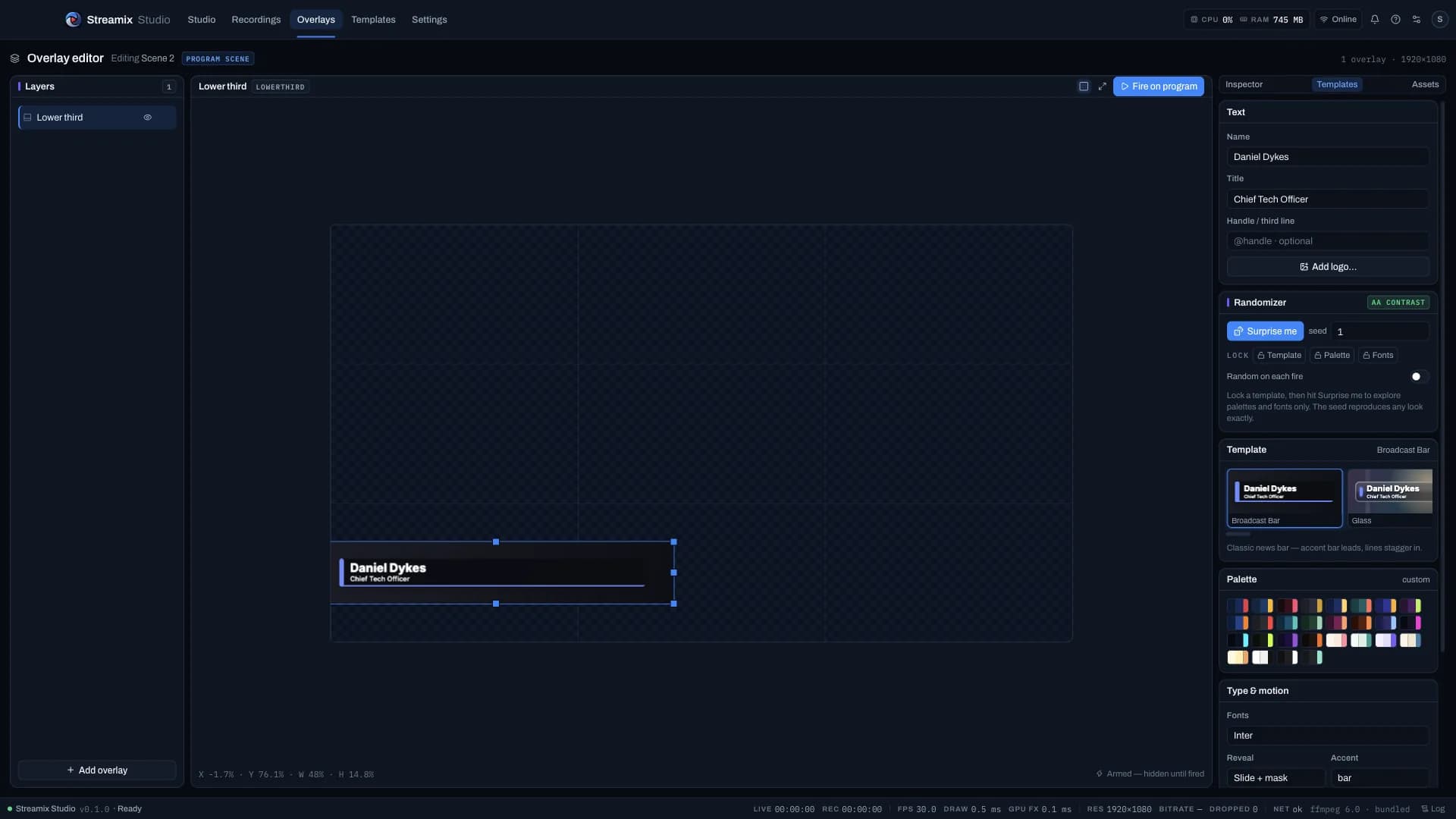
13 lower-third templates and 10 ticker templates rendered on the program canvas, a seeded “Surprise me” that only draws from curated palettes and font pairs, and an elements rail for everything the template did not think of.

  • Reveals: slide + mask, typewriter, clip wipe, scale pop, blur, split bar — with per-element stagger
  • 28 palettes × 12 font pairings, WCAG-AA contrast enforced; lock template / palette / fonts and re-roll the rest
  • Elements: text, logo, shapes, badges, clock, countdown — anchored, animated, one drag = one undo step
  • ≈0.1 ms per frame warm; Random-on-each-fire from the Live deck or ⌘⇧R / ⌘⇧T
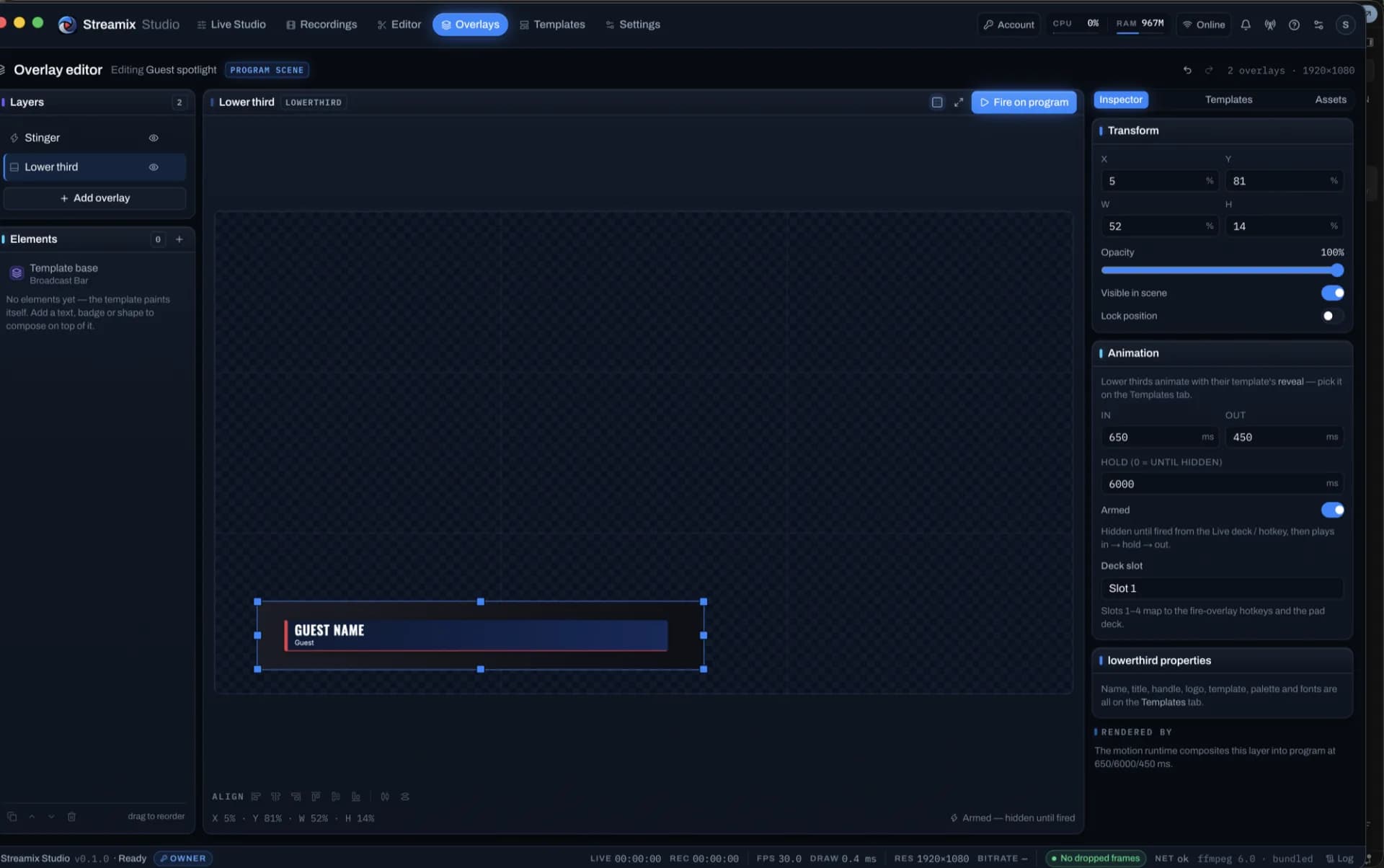
Lower third templates and the elements rail
Lower third and ticker on program
All plans

Overlay Builder + blank plate kit

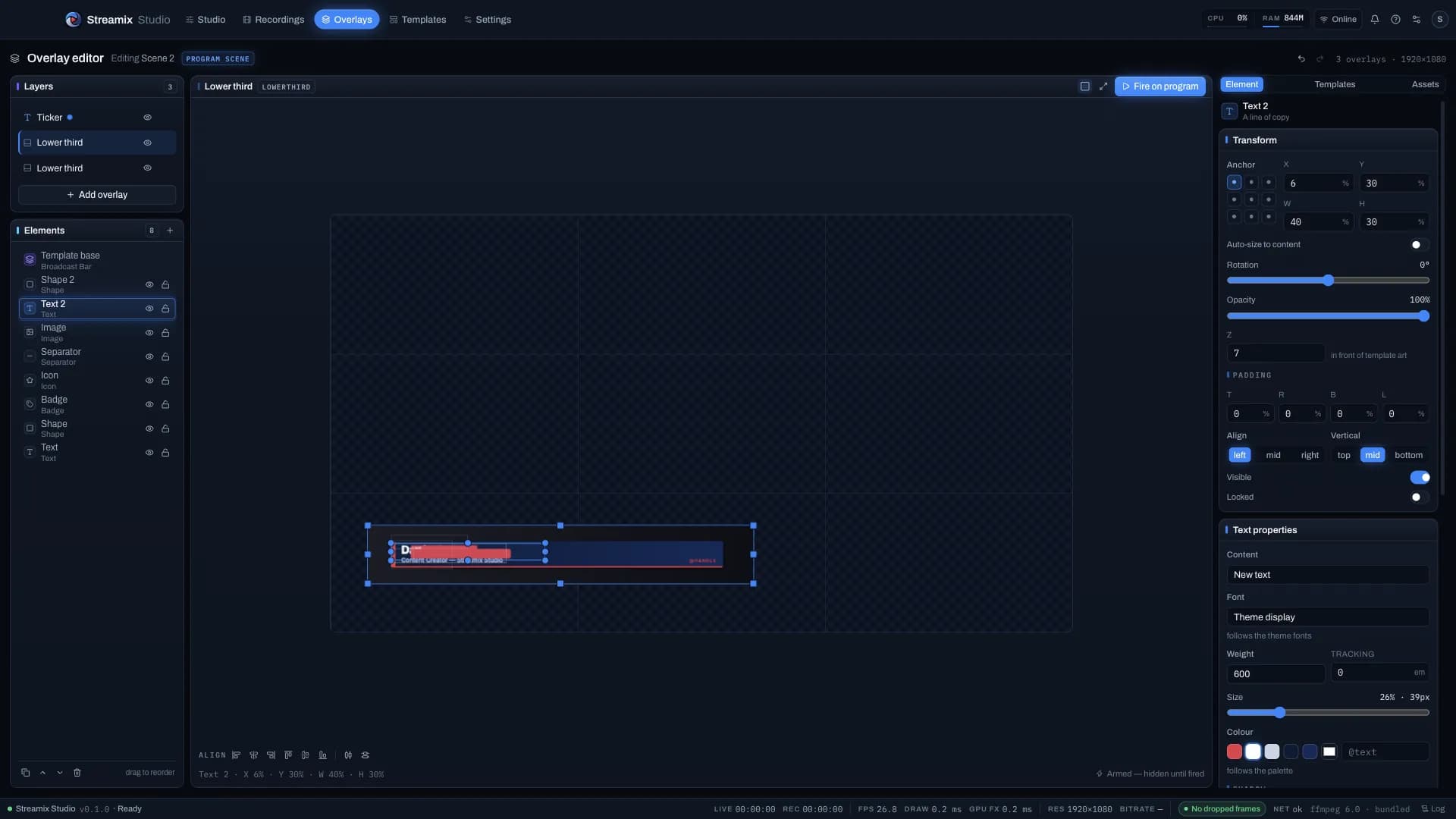
Build overlays on a pixel canvas, or start from the bundled blank-plate kit — 32 PNG plates (lower thirds, alerts, frames, stage panels, ticker) shipped as one-click templates.

  • Templates → Blank kit · Overlay plates: each plate becomes a named graphic with default copy and a colour-matched theme
  • Stinger graphics: armed until fired, in → hold → out with 12 motion presets; Fire / Toggle / Hold modes
  • Lottie animations, alpha video layers, logo bounce / pulse / float, clocks and countdowns
  • Curated overlay themes tie palettes, preferred templates and motion together

Read the doc: docs/OVERLAY_ASSETS.md

Overlay editor with a lower third on the canvas
All plans

Layouts, looks, formats & show templates

37 role-based layouts in 9 families, a Randomize look (⇧⌘D) with locks, 28 complete show templates, and 16:9 / 9:16 / 1:1 / 4:5 canvases with platform safe-area guides.

  • Slots filled by role (host, guest, screen, logo…) so switching layouts never destroys a layer
  • Portrait companion: a live 9:16 re-layout rendered beside the program, recordable as an ISO
  • Looks library: seed + layout + palette + fonts + motion + frame + backdrop, one undo step per roll
  • Show files (.streamixshow) carry scenes, overlays, rundown and destinations — never stream keys

Read the doc: docs/LAYOUTS.md

Program view with the Fireside layout
All plans

Motion, generators & camera rig

Keyframes on any layer with eases, loops and motion paths; particle / gradient / plasma / audio generators; digital PTZ with cue lists, presets and auto-frame on the segmenter’s subject.

  • Motion Designer scrubs every keyframed layer and bakes keyframes into In / Out presets
  • FX stack per layer: blend mode, mask, drop shadow, bypass, presets
  • Camera rig recall from a deck key, hotkey or OSC (camera.rig.recall N)
  • Particles, LUT import, cue lists and auto-frame are Motion Pro (Pro+)

Read the doc: docs/MOTION.md

All plans

Virtual camera angles from one camera

Named punch-in angles (Wide / Medium / Close) on a single source with per-angle quality badges, eased live recall and an optional auto-director — multicam without a second camera.

  • Two angles on Creator; more angles + auto-director rotation on Pro (camera.angles)
  • Scene pinning and camera.angle.recall from deck / hotkey / OSC
  • “Expand virtual angles” in the Editor’s multicam turns them into cuttable angles

Read the doc: docs/MOTION.md

All plans

Scenes, transitions & Preview / Program

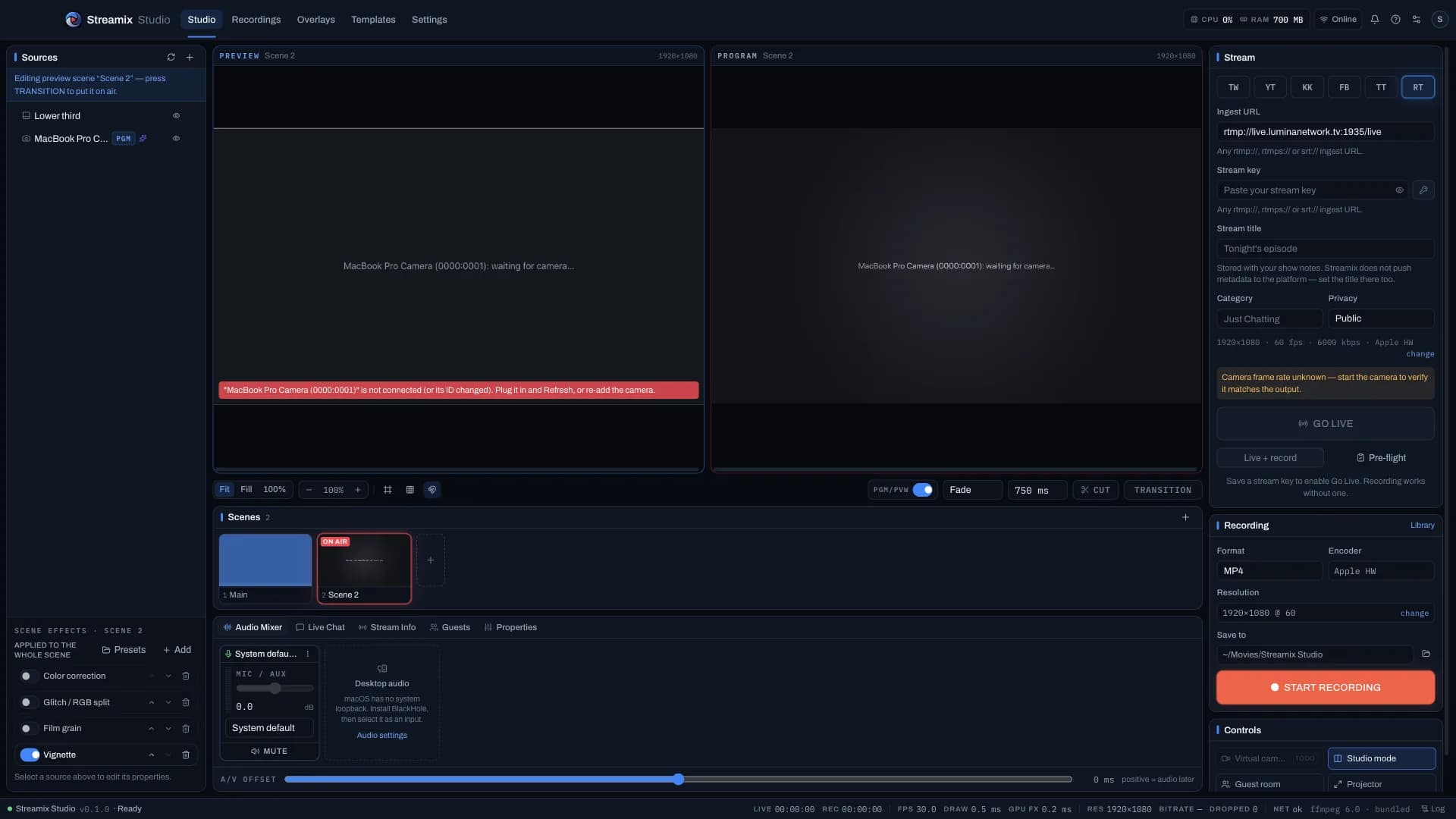
Cut, fade, slide, wipe, zoom or stinger (alpha or luma-keyed video) between scenes; T-bar mode makes the big canvas the preview and Take pushes it to program.

  • Global hotkeys for Take / Cut, scene 1–8, overlay slots, BRB, mute — they work with another app focused
  • Undo / redo for the whole composition (100 steps), never for the stream state
  • Live deck with big buttons, each showing its hotkey and live tally
Preview and program monitors side by side
Creator+

Platform chat on one screen, pinned cards on stream

YouTube Live Chat, Twitch, Facebook Live and the Streamix guest room merged into one list with filters, blocking and moderation; pin any comment as a designed on-screen card.

  • 6 card positions, slide / pop / fade, palettes, auto-hide or manual, queue with ◂ ▸
  • Pin / unpin from ⌥P / ⌥⇧P, a deck key or the control API
  • Bring your own Google / Twitch client id — the app never ships one
  • Streamix-chat comments on screen on every plan · platform connections need Creator+

Read the doc: docs/COMMENTS.md

Creator+

Media playlists, presentation mode & countdowns

Video / audio / image playlists with in-out points and end-of-playlist actions, PDF slides plus a slides remote for Keynote / PowerPoint / Google Slides, and countdowns that switch scene or go live at zero.

  • Presentation + PIP template with camera PiP, side-by-side or split
  • Countdown to a wall-clock time; Starting-soon template
  • Schedule: create and bind YouTube broadcasts, set Twitch title & category, one-click Go Live
  • Per-source picture controls: zoom / pan / crop / mirror / flip / rotate + colour, non-destructive

Read the doc: docs/MEDIA.md

Pro+

Broadcast Console: outputs, recording, rundown, scopes, health

SRT caller / listener, multistream fan-out (one encode → N destinations), backup ingest with failover, ISO + multitrack recording, wall-clock timecode, markers, rundown with macros, scopes and 1 Hz telemetry.

  • Multistream 1 / 2 / 3 / 8 destinations by plan; per-destination encoder ladders on Business
  • Recording: ISO per source, multitrack stems, segmented rolls, redundant copy, markers → CSV / EDL / YouTube chapters
  • Scopes: waveform, RGB parade, vectorscope, histogram, false colour, legal-range warnings
  • Show lock, producer / operator / graphics roles, deferred settings while on air

Read the doc: docs/SHOWS.md

Creator+

Live Event window for a second display

Put a large program (and optional preview / multiview) surface on another monitor for stage or confidence viewing — it mirrors the compositor, no second encode.

  • Display picker; goes full-screen on the chosen monitor, near-maximized on a single display
  • Multiview strip, meters, clock and safe live controls; Esc returns to Live Studio
  • Creator: basic · Pro / Business: full

Read the doc: docs/LIVE_EVENT.md

Preview and program monitors side by side
Creator+Planned

Virtual camera output

Send the program to Zoom / Meet / Teams as a camera. The toggle exists behind the plan gate; the macOS CoreMediaIO camera extension still needs a signed build before it ships.

  • Plan: Creator+ (virtualCamera.enabled)
  • Requires a Developer-ID-signed system extension — see native/virtualcam/README.md