
1.Live Studio
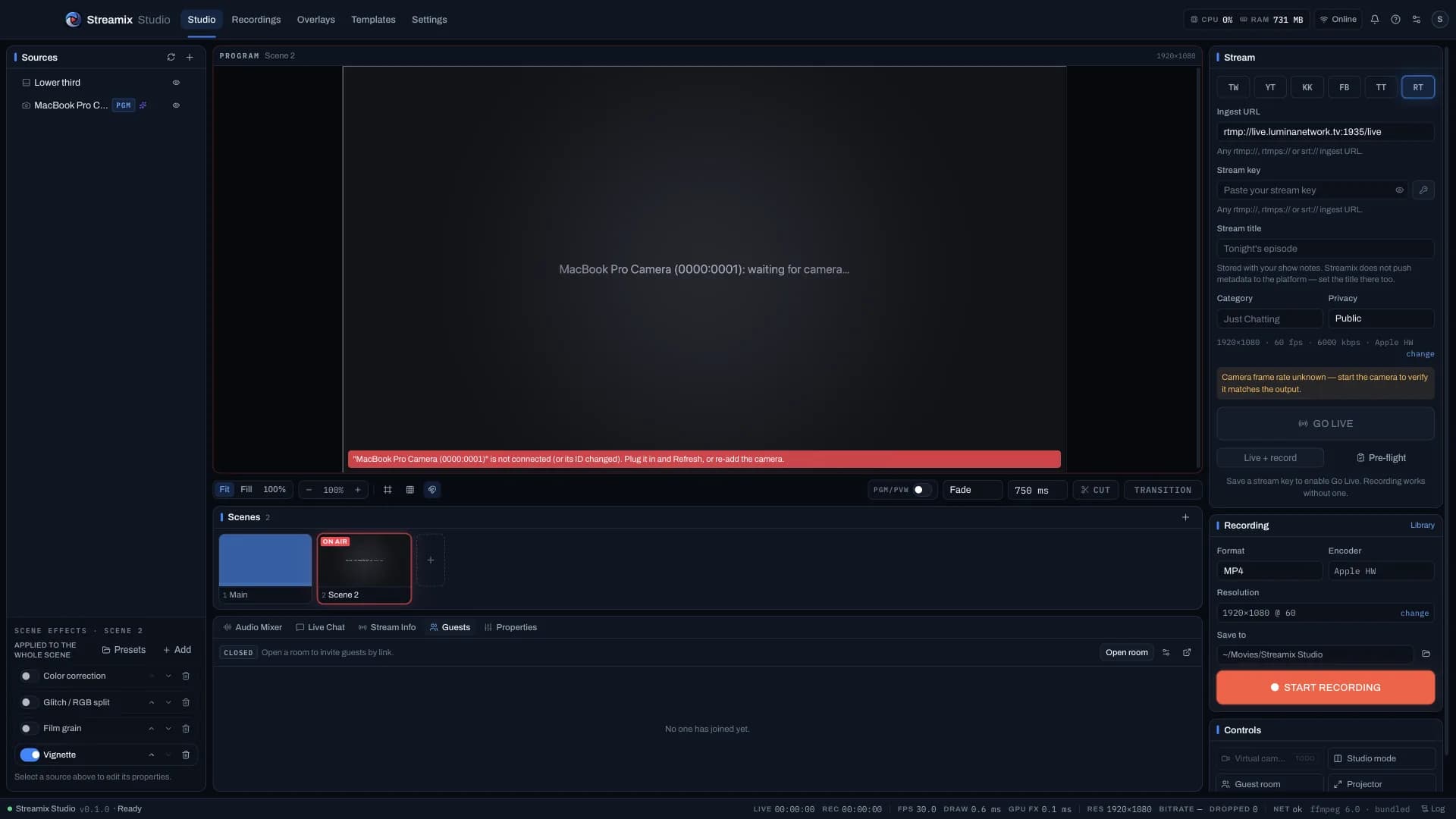
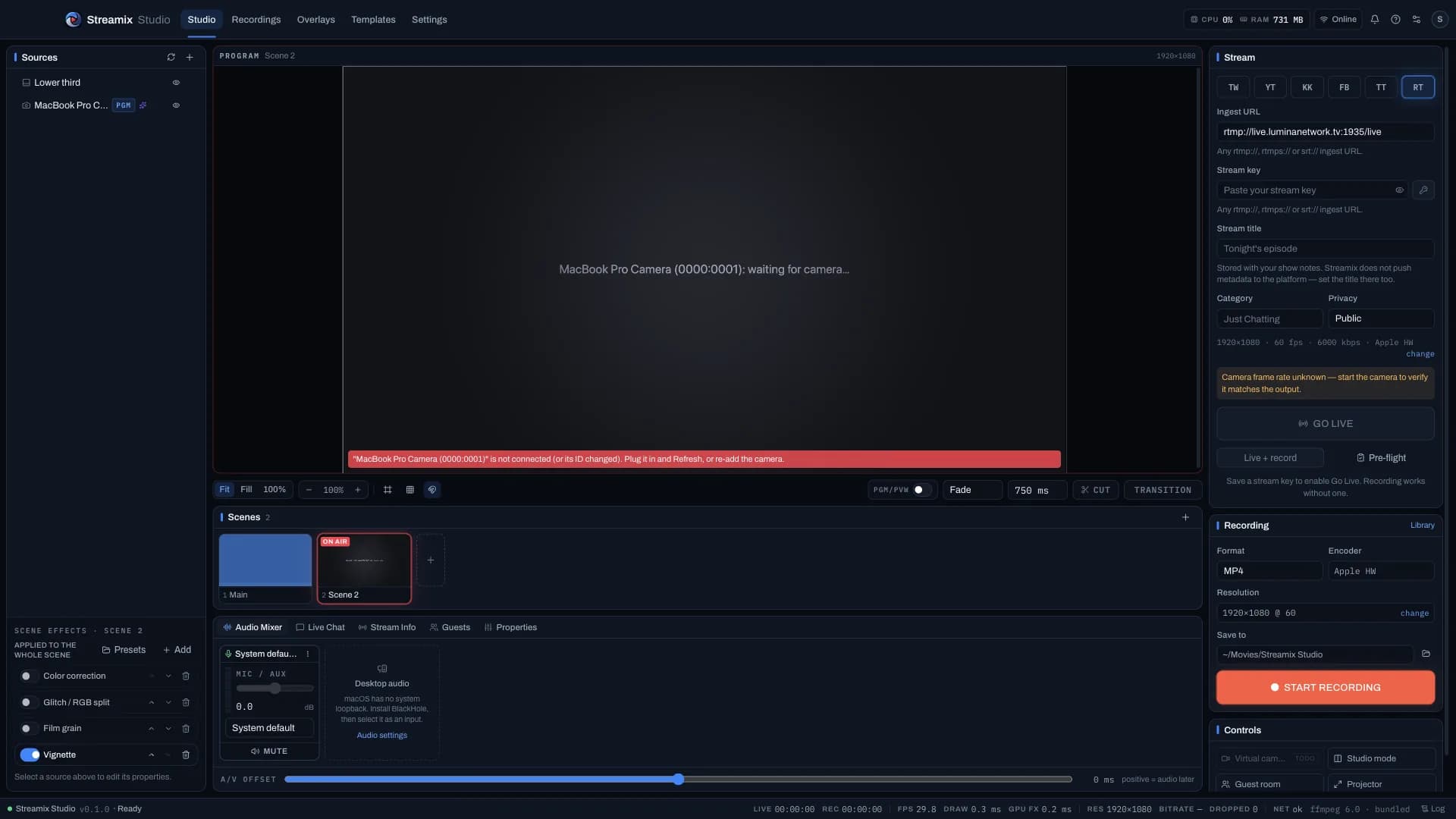
Program canvas, scenes, mixer, and destinations on one producer desk. Preview → Transition → Program when Studio Mode is on; Live Event window on a second display.
All-in-one creator studio
One powerful app for live streaming, recording, editing, and publishing.
A flicker-free camera path, a live desk with remote guests and Stream Dock control, a full Editor, one-button Auto Reels and Auto Edit → YouTube, and every format out of one master — on macOS and Windows.
 Streamix StudioLive StudioProgramON AIR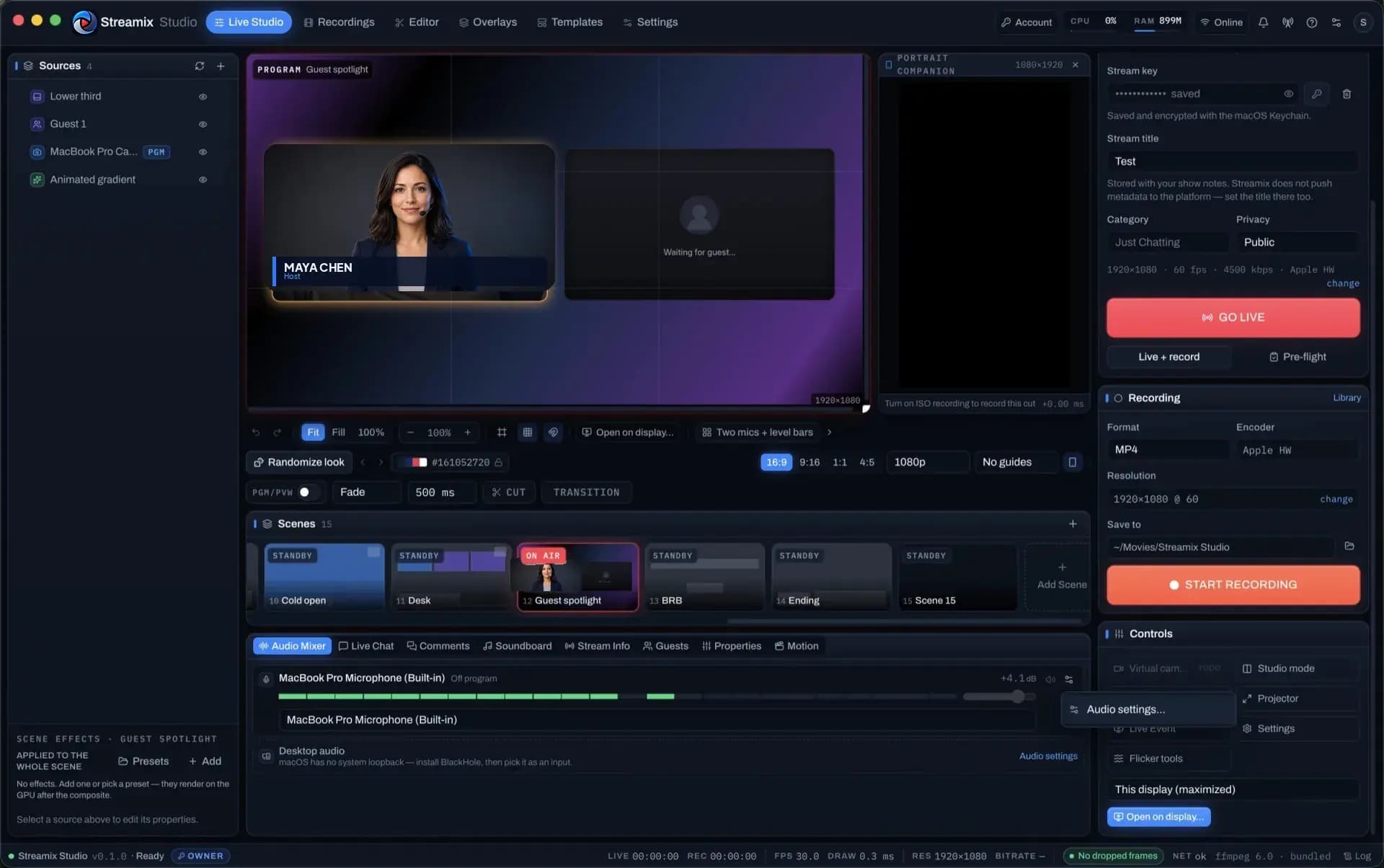
Go live, your way
Edit with power
Turn moments into content
Bring anyone in
Control everything
Stay on script
Create smarter
Streamix Studio removes the complexity. Go live, create, edit, and publish without switching between tools.
 ON AIR
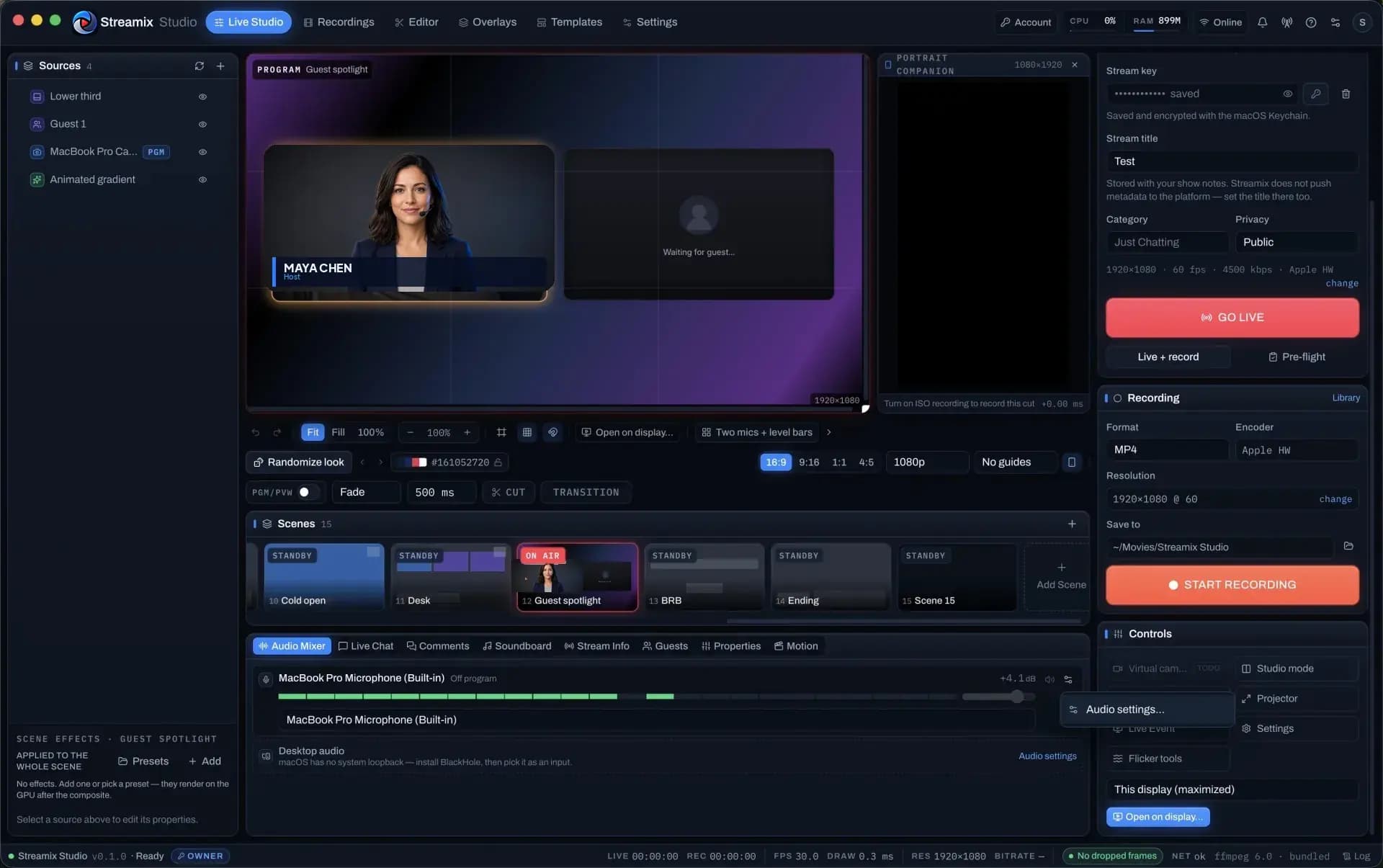
Professional live streaming with multi-cam, remote guests, overlays and real-time controls — flicker-free.
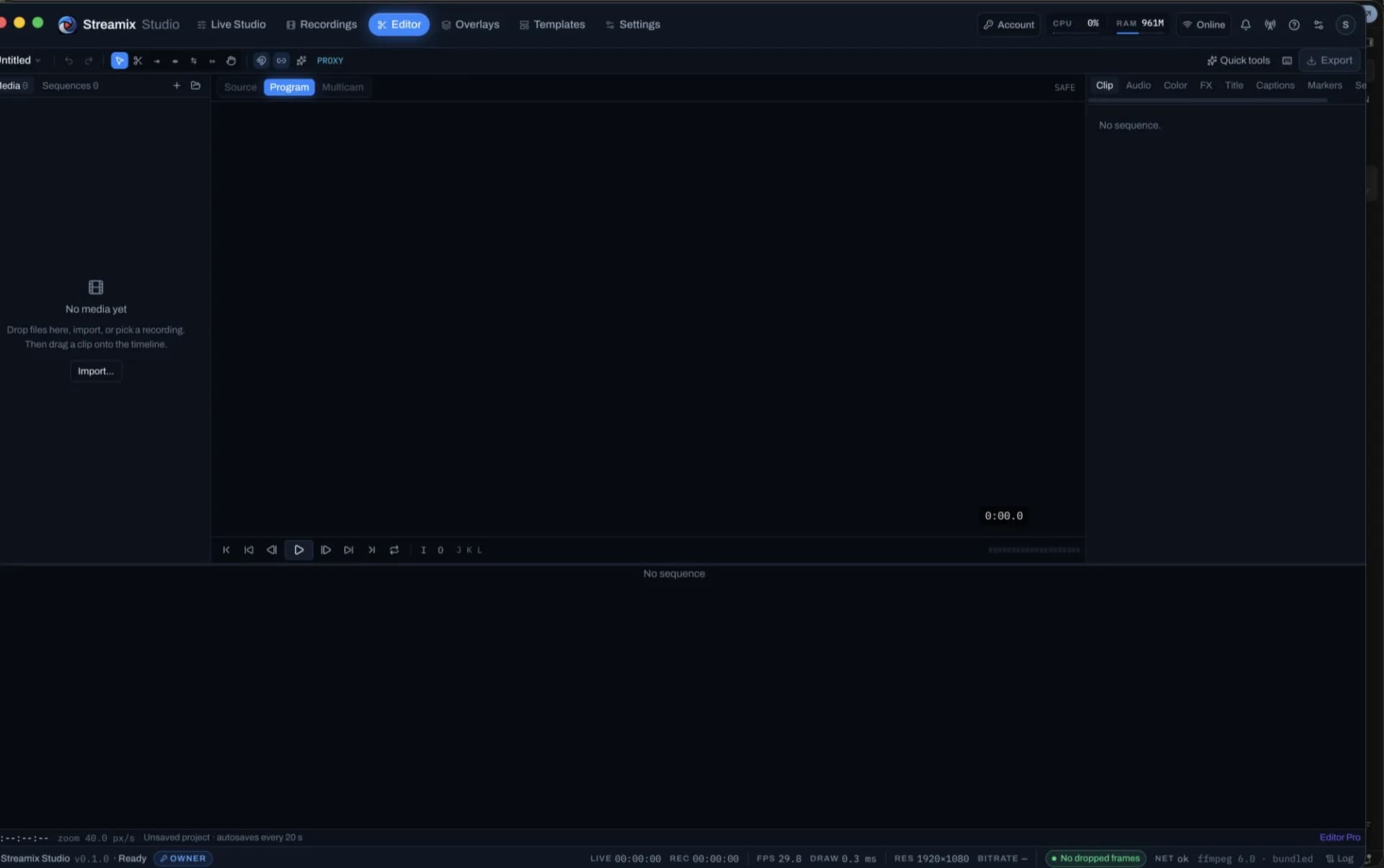
Turn the recording into polished content in the built-in Editor: trim, colour, multicam, captions, Polish.
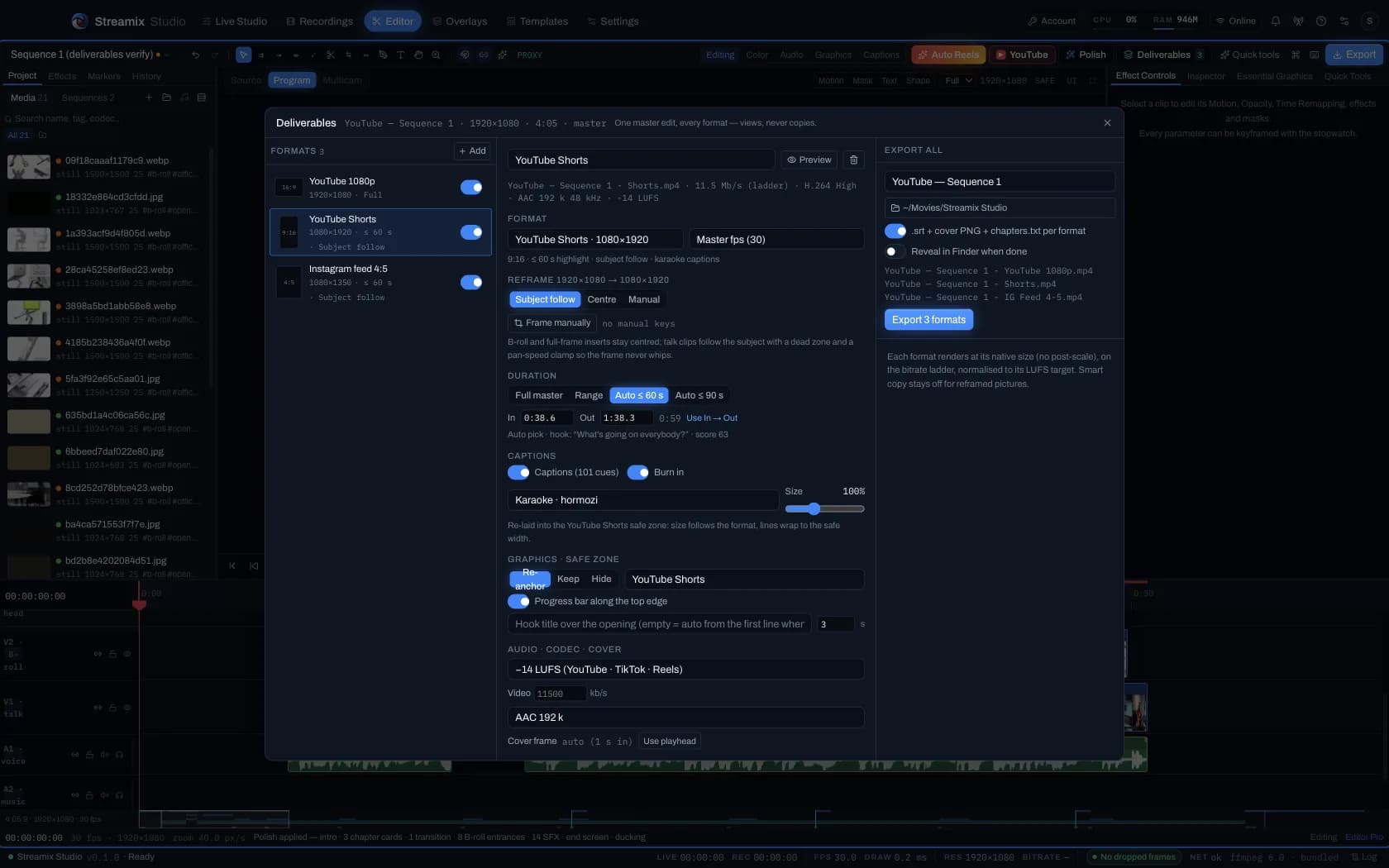
Deliverables renders one master into every format; Auto Edit → YouTube uploads a chaptered edit for you.
The product
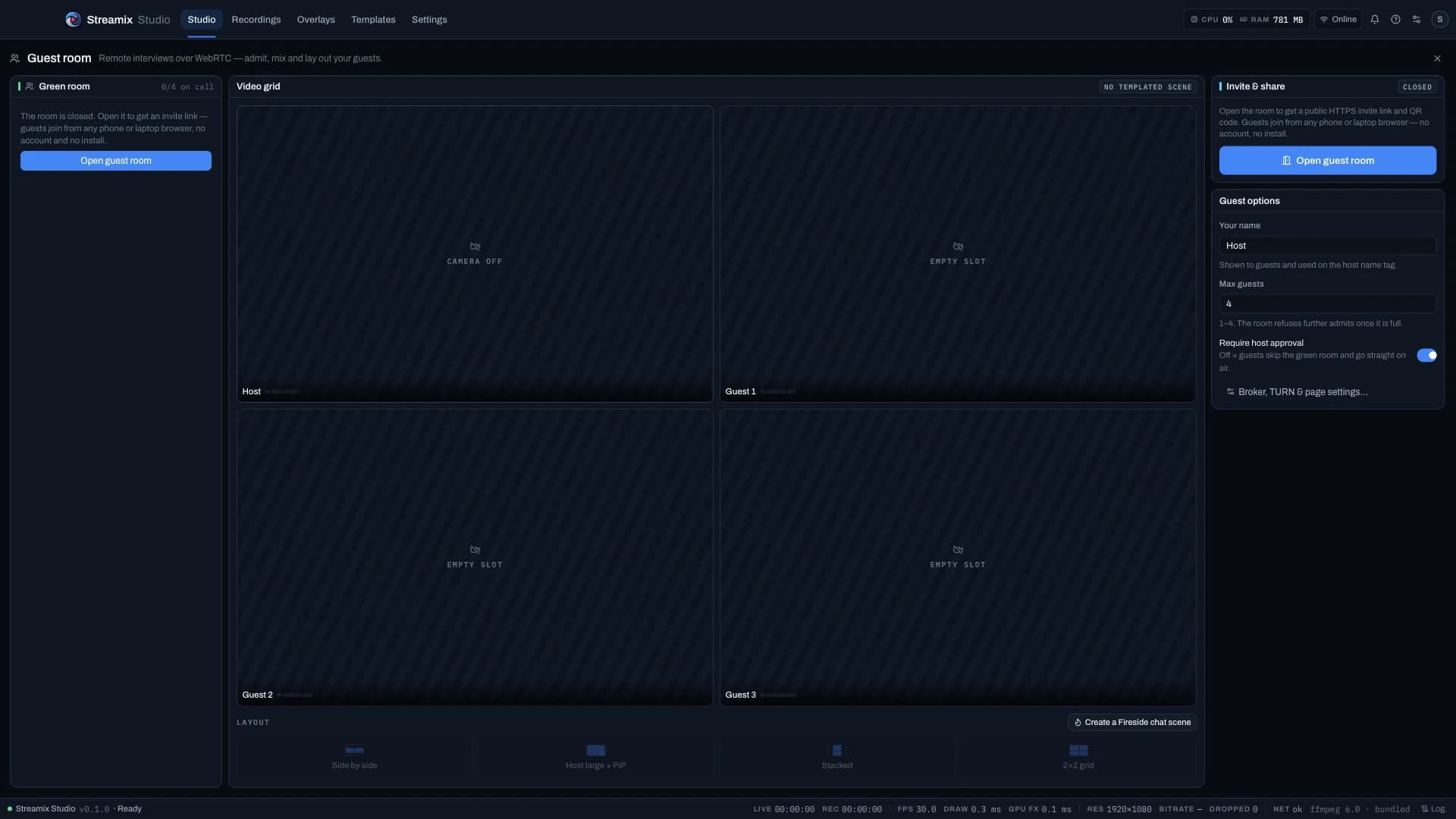
Program canvas, scenes, mixer, and destinations on one producer desk. Preview → Transition → Program when Studio Mode is on; Live Event window on a second display.
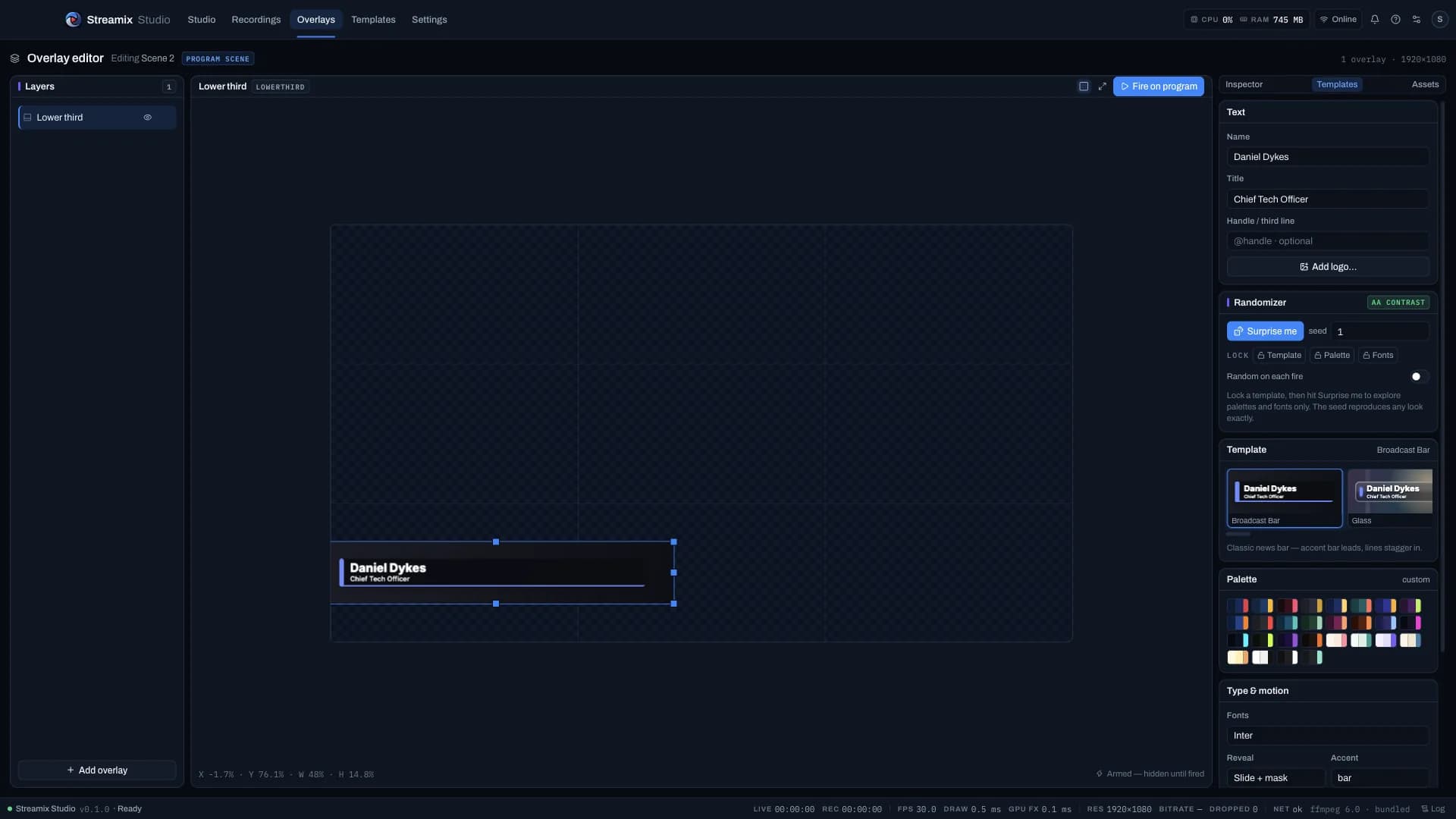
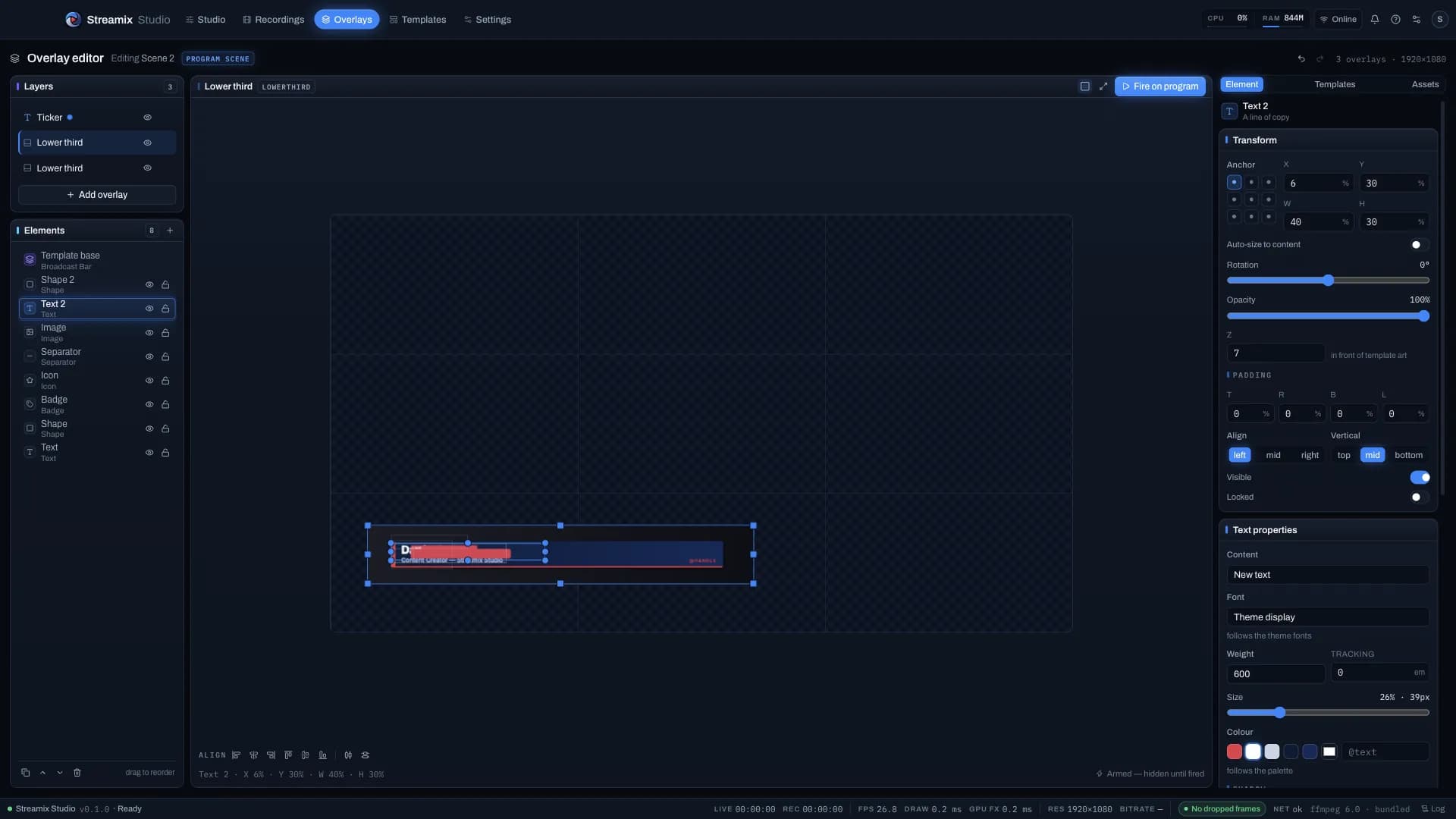
13 lower-third and 10 ticker templates on the program canvas, a seeded Randomize with locks, an elements rail and a 32-plate blank kit — no browser-source hacks.
A full NLE in its own tab: trim toolset, Effect Controls, Lumetri-style colour with scopes, multicam from ISOs, whisper captions — same dark console language as the desk.
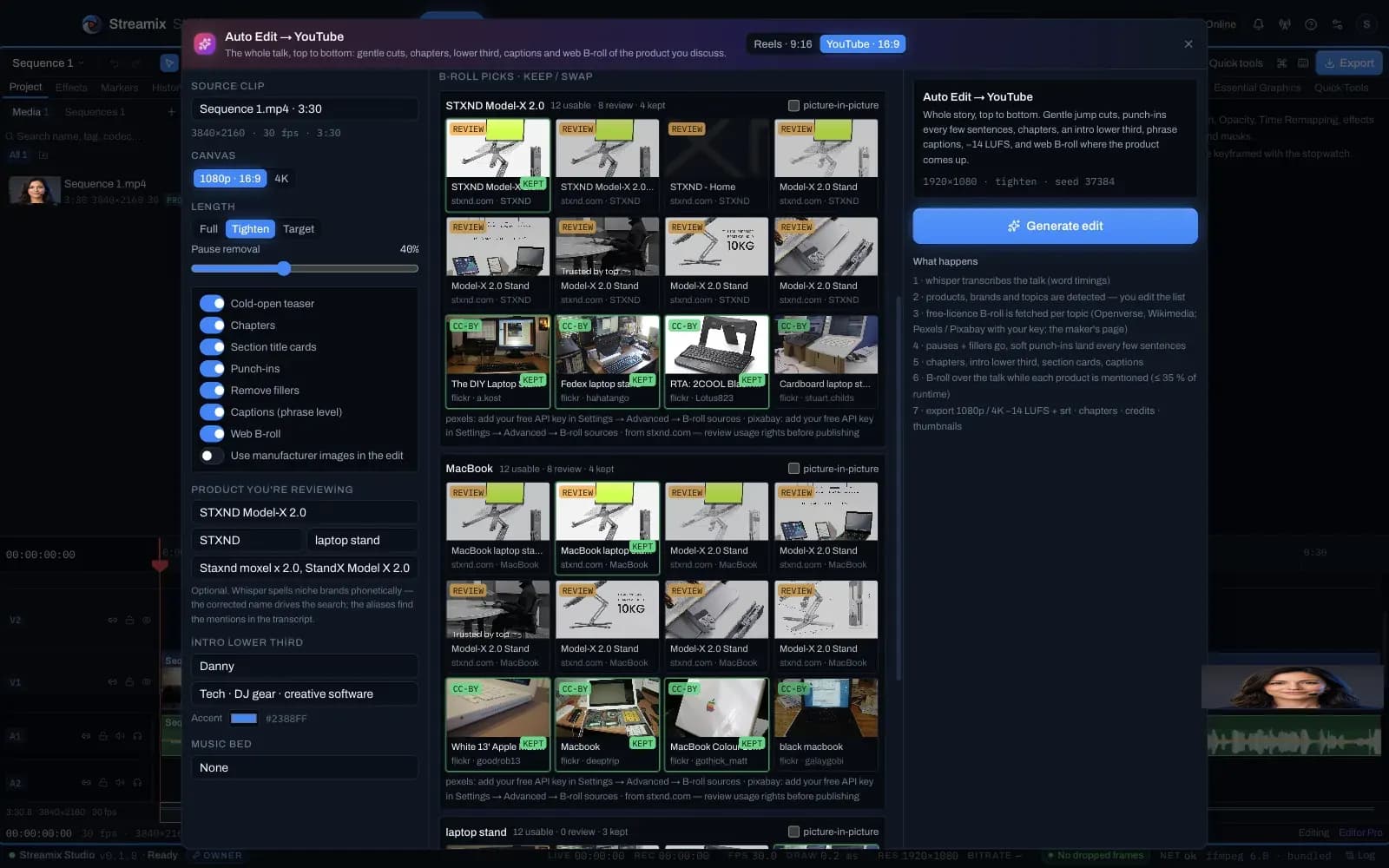
One button turns a talking-head recording into a vertical reel or a chaptered YouTube edit with licensed product B-roll, Polish mograph and every Deliverable format — all as editable clips.
Browser guest links become Guest sources you place like any layer, with a mix-minus return. Stream Dock keys map scenes, overlays and mute with live tally.
A more complete solution
Why creators pick Streamix Studio over a stack of tools.

More Creation. Less Complexity.
Powerful tools for modern creators
43 features in 7 groups — Live, Editor, Auto Edit & AI, Audio, Hardware, Guests and Platform. Two are finishing verification this week and are labelled as such.
Live Studio
Post-production
One button
Sound
Desk & devices
Fireside
Foundation
How it compares
OBS, Ecamm Live and vMix, side by side — factual, and clear about where each of them wins.
Open the comparisonWhy it exists
ffmpeg owns the camera at an exact rate and encodes CFR; in Composited mode the canvas is drawn once per delivered frame via requestVideoFrameCallback — the cadence fix Blackmagic + OBS usually breaks. A Flicker Analyzer tells you which of the five causes you actually have.
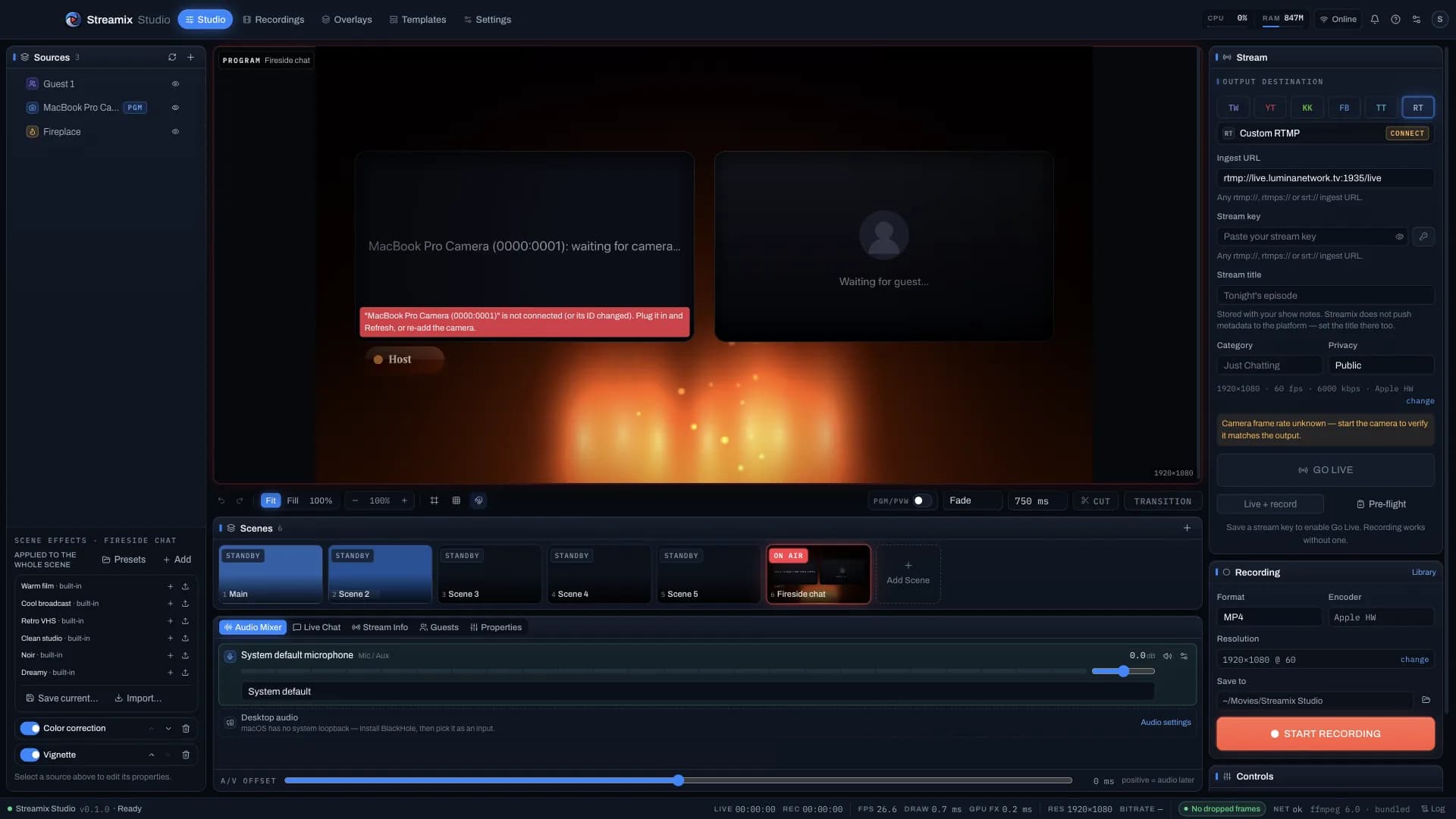
Guests join from a link or QR on any browser or phone, wait in a green room, and hear the program minus their own voice. Templates for Fireside, Interview and Podcast with an active-speaker glow.
Deliverables turns one timeline into YouTube 1080p / 4K, Shorts, Reels, TikTok, 4:5 and 1:1 with subject-follow reframing and safe-zone captions; Polish adds a mograph family, end screen, grade and sound design in one undo step.
Composited Canvas2D overlays with 13 templates, seeded Randomize, an elements rail and fire-on-program — ≈0.1 ms per frame, not a fragile browser-source stack.
Built for creators who fight Blackmagic flicker in OBS — and producers who want a Live Studio desk, a Live Event window and an Editor that speak the same language.
Streamix StudioNo placeholder quotes — ship the tool, then collect the receipts.
Plans for every creator
Start with the 14-day trial, then pick Creator, Pro or Business. The bullets are generated from the same entitlement table the desktop app and the licence server read; the prices are live from the API. Full matrix →
For growing channels
$49/mo
2 device seats included
Broadcast-ready toolkit
$79/mo
5 device seats included
Teams & production houses
$149/mo
25 device seats included
Every download starts a 14-day trial with the full Creator feature set — no card, no account. Paid plans check out securely via Stripe; your account is created from the e-mail you check out with. Already have an account? Sign in to attach the purchase to it. Prices in USD.
Ready to create?
Creator features free for 14 days — no card, no account — then pick the plan that fits the show. Builds come straight from the release feed.