
Features
Everything in the app.Grouped, with the plan that unlocks it.
43 features across 7 groups. 40 are shipped today; 2 are in the tree behind a flag and labelled “shipping this week”; 1 (virtual camera output) is planned and says so. Every card links to a detail section with real screenshots and the doc that backs it.
Live Studio
Live
One producer desk: sources, preview / program, scenes, mixer, overlays and destinations — with a camera path built to hold cadence, not just look good in a demo.
Open the Live detail page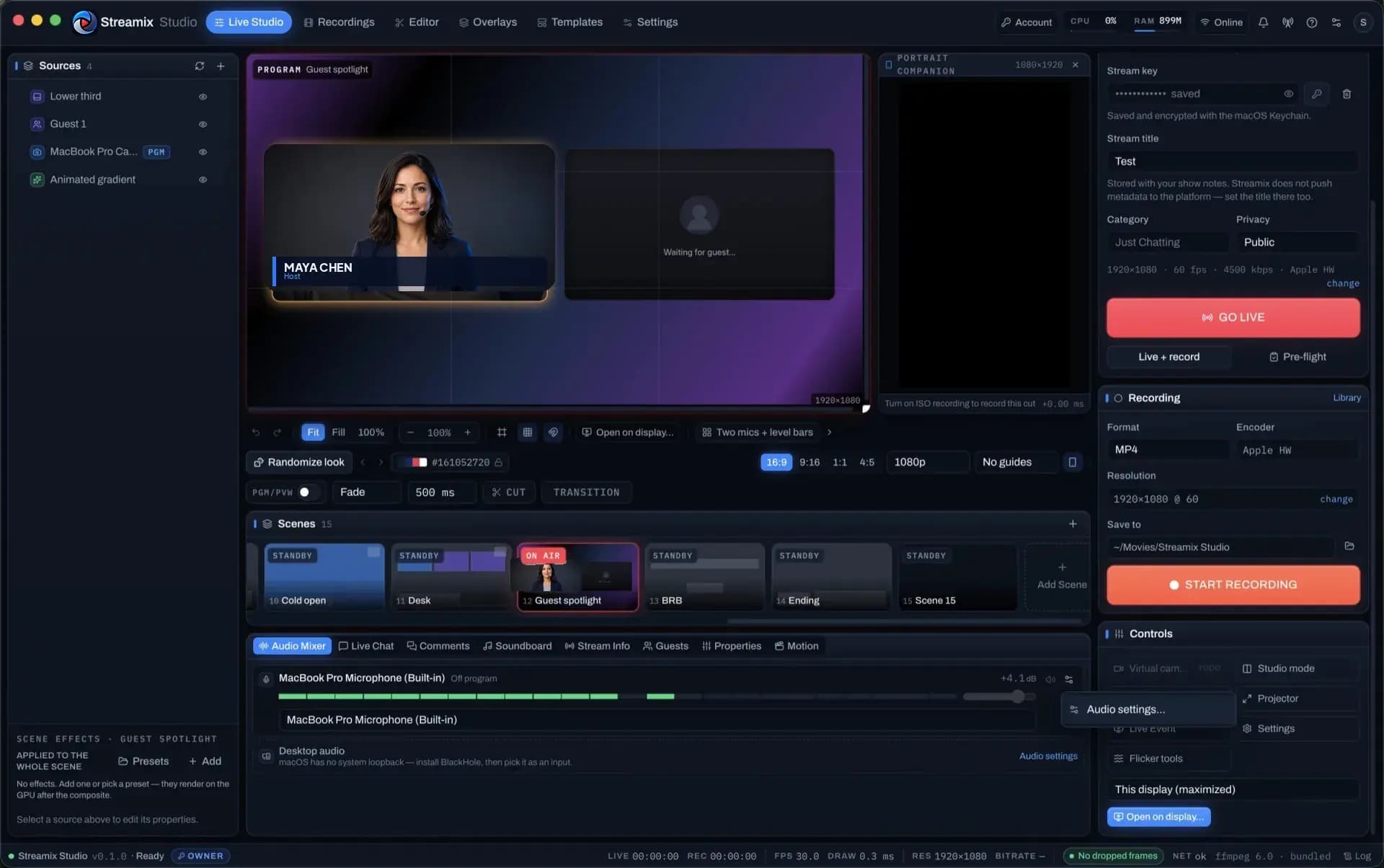
Flicker-free Direct Camera capture
ffmpeg captures the camera itself at an exact frame rate and size and encodes constant-frame-rate H.264 — no browser, no canvas, no frame re-timing in the path.
DetailsComposited canvas drawn once per camera frame
A 1080p → 4K canvas with camera, screen, image, text, video and generator layers, drawn on requestVideoFrameCallback so the compositor never re-times the camera.
DetailsWebGL FX + AI background removal
Per-layer and per-scene effect stacks in a WebGL2 post pipeline, plus a bundled MediaPipe selfie segmenter that removes your background without a green screen.
DetailsLower thirds & tickers with Randomize
13 lower-third templates and 10 ticker templates rendered on the program canvas, a seeded “Surprise me” that only draws from curated palettes and font pairs, and an elements rail for everything the template did not think of.
DetailsOverlay Builder + blank plate kit
Build overlays on a pixel canvas, or start from the bundled blank-plate kit — 32 PNG plates (lower thirds, alerts, frames, stage panels, ticker) shipped as one-click templates.
DetailsLayouts, looks, formats & show templates
37 role-based layouts in 9 families, a Randomize look (⇧⌘D) with locks, 28 complete show templates, and 16:9 / 9:16 / 1:1 / 4:5 canvases with platform safe-area guides.
DetailsMotion, generators & camera rig
Keyframes on any layer with eases, loops and motion paths; particle / gradient / plasma / audio generators; digital PTZ with cue lists, presets and auto-frame on the segmenter’s subject.
DetailsVirtual camera angles from one camera
Named punch-in angles (Wide / Medium / Close) on a single source with per-angle quality badges, eased live recall and an optional auto-director — multicam without a second camera.
DetailsScenes, transitions & Preview / Program
Cut, fade, slide, wipe, zoom or stinger (alpha or luma-keyed video) between scenes; T-bar mode makes the big canvas the preview and Take pushes it to program.
DetailsPlatform chat on one screen, pinned cards on stream
YouTube Live Chat, Twitch, Facebook Live and the Streamix guest room merged into one list with filters, blocking and moderation; pin any comment as a designed on-screen card.
DetailsMedia playlists, presentation mode & countdowns
Video / audio / image playlists with in-out points and end-of-playlist actions, PDF slides plus a slides remote for Keynote / PowerPoint / Google Slides, and countdowns that switch scene or go live at zero.
DetailsBroadcast Console: outputs, recording, rundown, scopes, health
SRT caller / listener, multistream fan-out (one encode → N destinations), backup ingest with failover, ISO + multitrack recording, wall-clock timecode, markers, rundown with macros, scopes and 1 Hz telemetry.
DetailsLive Event window for a second display
Put a large program (and optional preview / multiview) surface on another monitor for stage or confidence viewing — it mirrors the compositor, no second encode.
DetailsVirtual camera output
Send the program to Zoom / Meet / Teams as a camera. The toggle exists behind the plan gate; the macOS CoreMediaIO camera extension still needs a signed build before it ships.
DetailsPost-production
Editor
A full non-linear editor in its own tab, speaking the same dark console language as the live desk — open a recording and its ISO angles land as multicam.
Open the Editor detail page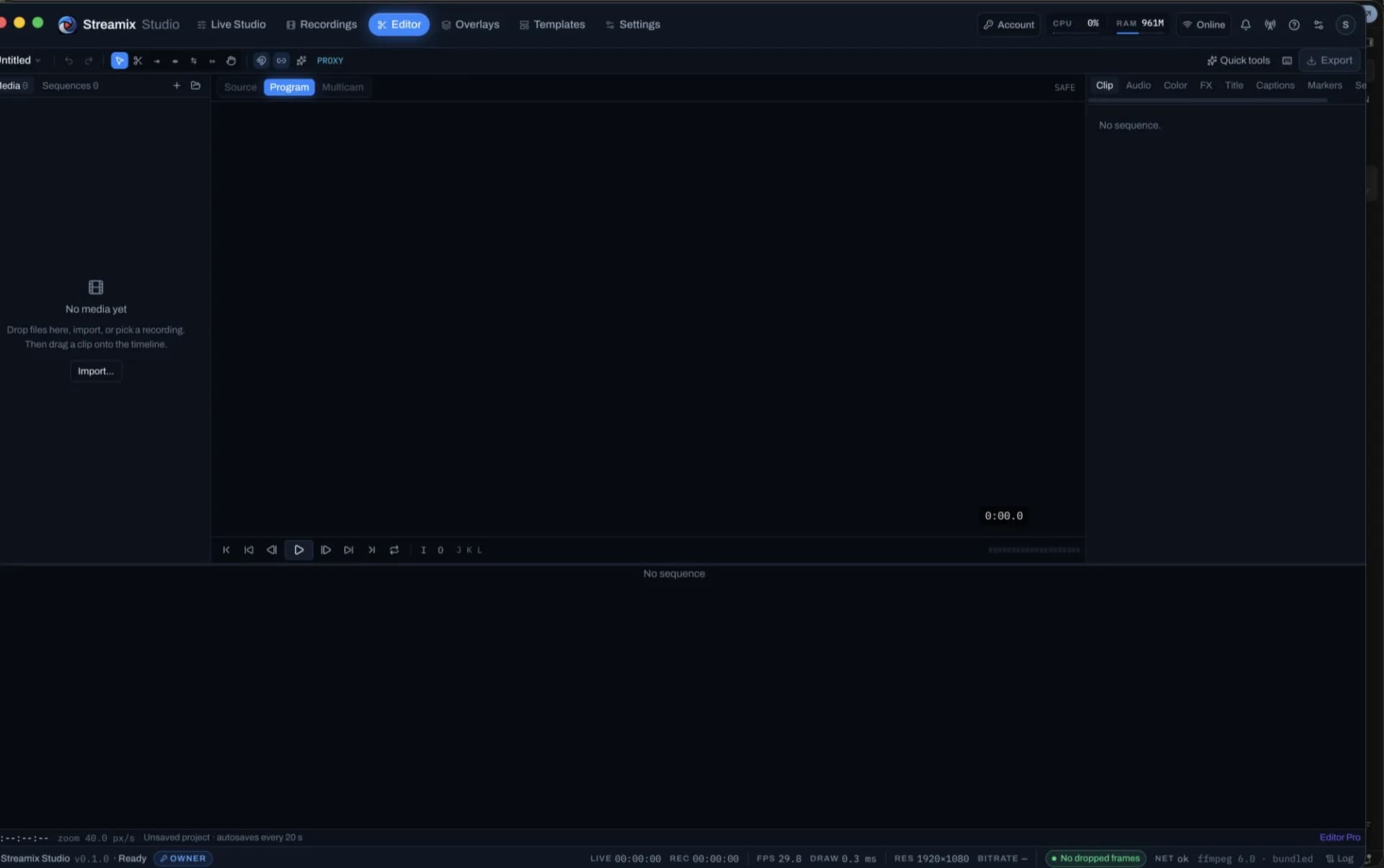
Industry-standard timeline & trim toolset
Five workspaces (Editing / Color / Audio / Graphics / Captions), the complete trim toolset with trim mode and JKL dynamic trim, three-point edits, nesting, adjustment layers and remappable Premiere / Resolve / FCP keymaps.
DetailsEffect Controls, colour & scopes
Motion / opacity / time remapping / masks with tracking and per-effect keyframes; 23 GPU effects plus 10 ffmpeg-class FX that pre-render at export; a Lumetri-style Color panel with scopes.
DetailsMotion, keyframes & Essential Graphics
Layer keyframes with eases and value graphs, motion paths, Essential Graphics templates with responsive time / position, a text tool on the monitor, shapes and randomize.
DetailsMulticam from ISOs and virtual angles
Opening a recording pulls in its .markers.csv and every -ISO- file as multicam angles; keys 1–9 cut live. Virtual camera angles expand into cuttable angles too.
DetailsAuto captions with whisper.cpp
Extract A1, run whisper-cli, and get a caption track you can split / merge / retime with style presets — plus search spoken words to jump the playhead.
DetailsReplace, relink & swap media
Replace with clip (match in · fit · keep motion · linked audio), Replace footage relink, and a Swap B-roll picker that keeps provenance on every clip.
DetailsDeliverables — one master, every format
YouTube 1080p / 4K, Shorts, Reels, TikTok, 4:5, 1:1 and custom as non-destructive views on one timeline: subject-follow or manual reframe, captions and graphics re-laid into each platform’s safe zone, a hook-first ≤ 60 / 90 s auto highlight.
DetailsPolish — mograph pack, end screen & sound design
Six motion-graphics families (intro · outro · YouTube end screen · kinetic chapter cards · lower thirds), a skin-protected grade, family transitions, synthesised SFX, 2-frame A1 crossfades and music ducking — one undo step.
DetailsExport presets & interchange
YouTube 1080p / 4K, TikTok / Reels / Shorts, Square, X, LinkedIn, ProRes 422, DNxHR HQ, GIF, audio and stills — plus EDL / FCP7 XML / OTIO, stems and frame-exact smart copy.
DetailsOne button
Auto Edit & AI
Talking-head recordings become finished edits — short-form and long-form — with the pieces landing as ordinary editable clips. AI is bring-your-own-key and never proxied through Streamix.
Open the Auto Edit & AI detail page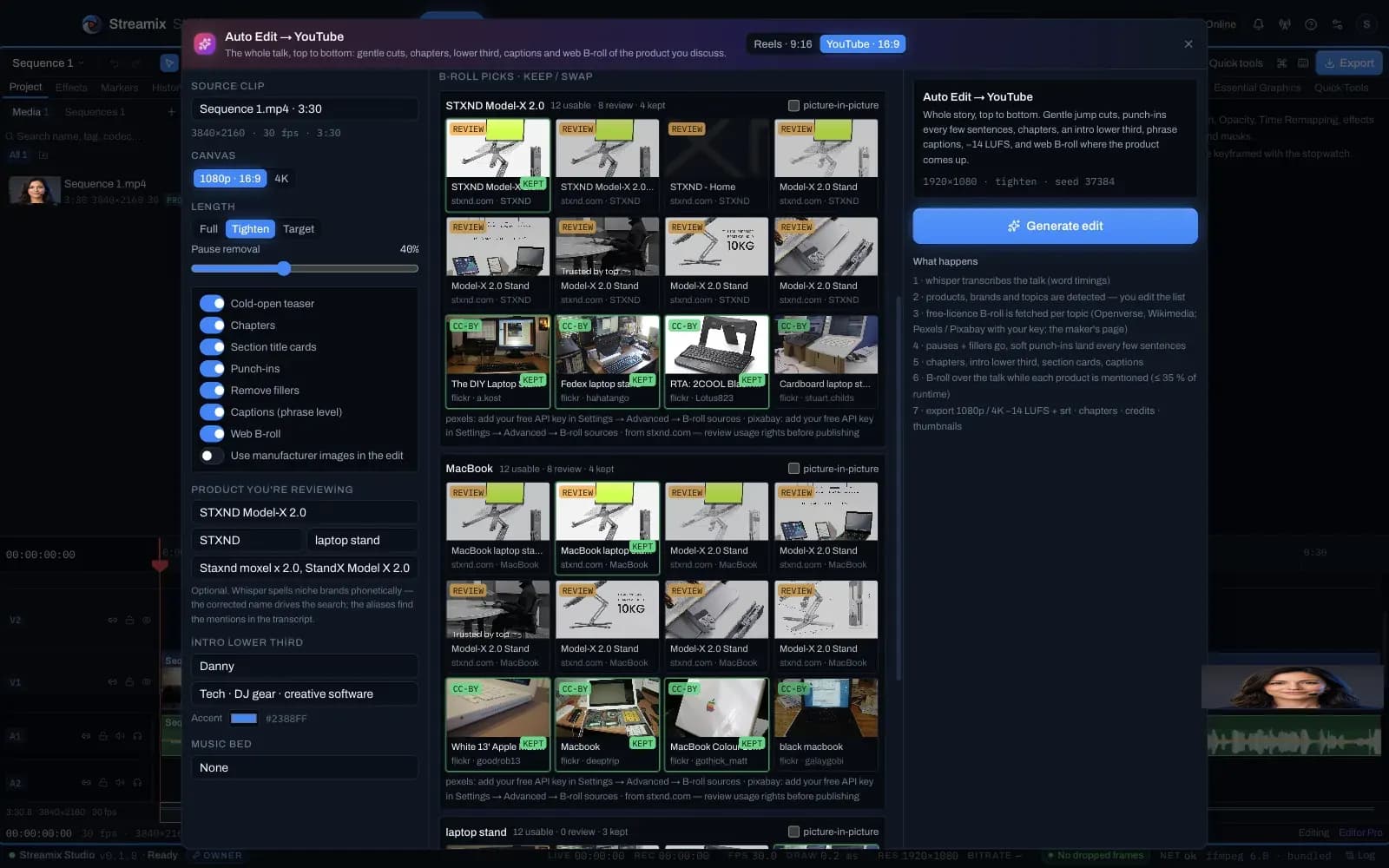
Auto Reels
Whisper word timings → jump cuts and filler removal → hook-first cold open → subject-tracked 9:16 reframe with alternating punch-ins → beat-synced FX → word-by-word captions → loudness-normalised export.
DetailsAuto Edit → YouTube with verified product B-roll
The whole talk tightened top to bottom with chapters, an intro lower third, section cards, phrase-level captions and −14 LUFS — and web B-roll of the product you discuss, laid over the talk exactly while it is mentioned.
DetailsAI providers — bring your own key
Turn one photo of your product into B-roll stills and short cinematic clips, and write chapters / titles / description / tags from the transcript with your own OpenAI and Higgsfield accounts.
DetailsSound
Audio
One Web Audio program bus feeds the encoder, the recording, every guest’s mix-minus and your monitor — so what you hear is what ships.
Open the Audio detail page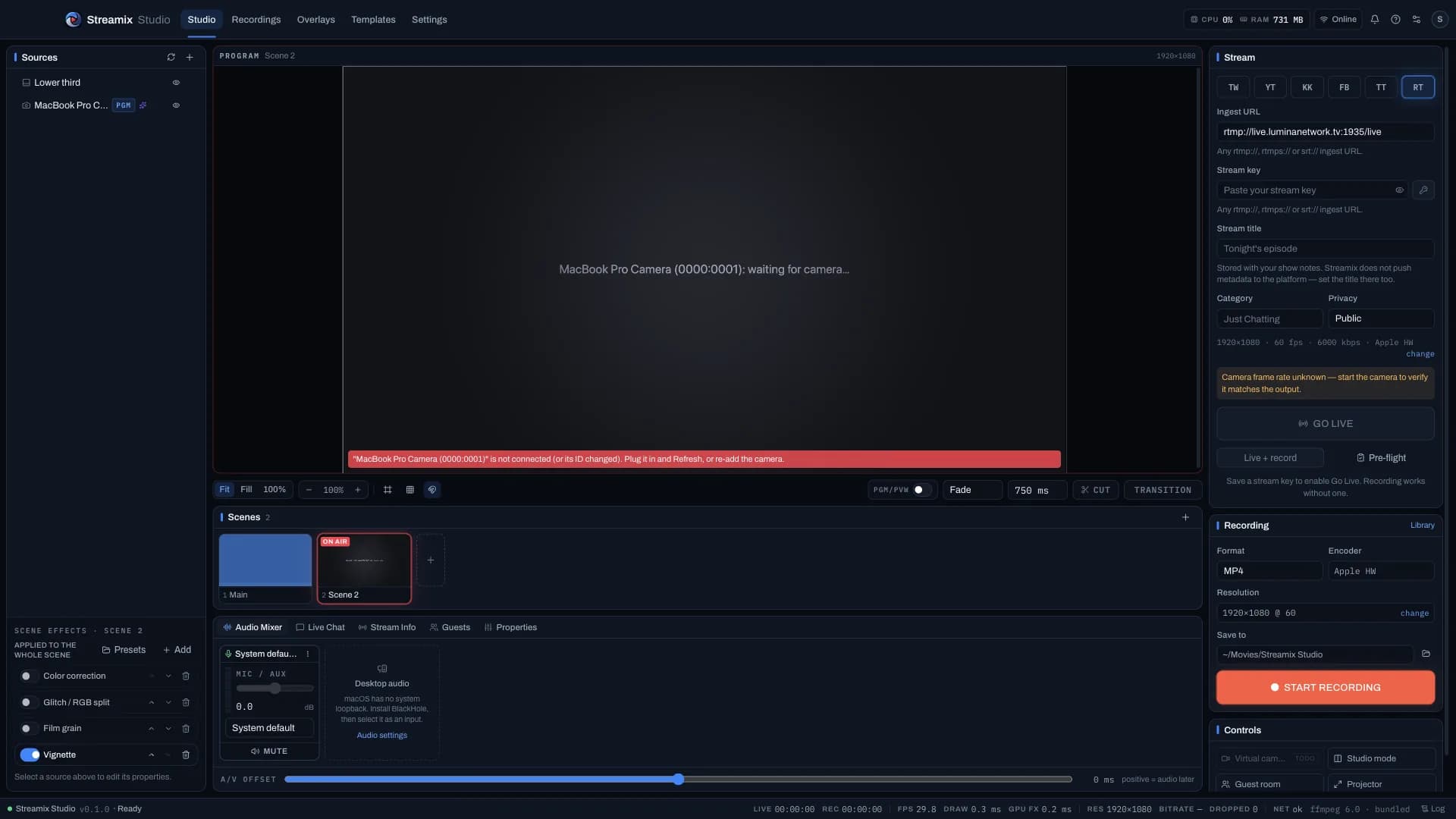
Program mixer with mix-minus
Per-input gain / mute, a level analyser per participant, a program bus into the PCM worklet → Matroska → ffmpeg path, and one return feed per guest that never contains their own voice.
DetailsSoundboard, music, trimmer & ducking
Pads (one-shot / hold / loop, per-pad hotkeys, fades, solo), background music with crossfade, and ducking under your mic. The clip trimmer cuts just the bit you need.
DetailsBroadcast audio chain & loudness
Per-channel HPF → 6-band EQ → gate → compressor → de-esser → limiter as real AudioWorklet nodes, a master true-brickwall limiter and EBU R128 / BS.1770-4 metering with a delivery target.
DetailsStudio Voice
An 8-stage voice chain — HPF → mains notches → spectral gate with learned room tone → expander → de-esser → 5-band EQ → compressor + glue → loudness rider → true-peak limiter — on every mic and guest, live and in the Editor.
DetailsDesk & devices
Hardware
Built around real gear on a real desk: a Blackmagic through a UVC dongle, a Stream Dock under your hand, an Elgato Prompter in front of the lens.
Open the Hardware detail page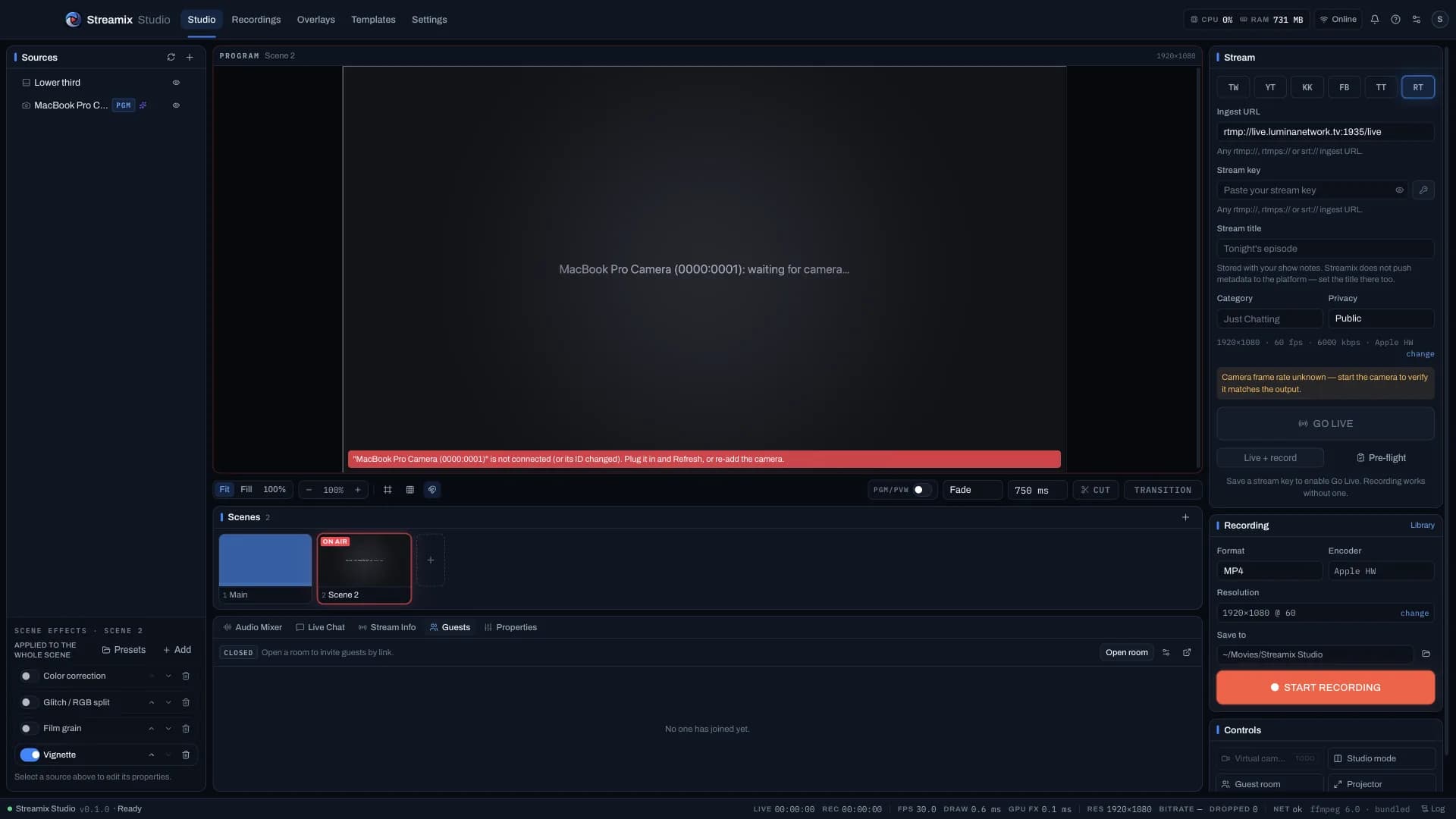
Blackmagic & pro capture
Any camera that appears as a video device — Blackmagic Pocket in USB webcam mode, ATEM Mini, Cam Link and generic UVC bridges — with the exact-rate capture path that stops cadence flicker.
DetailsVSD M18 Stream Dock & Elgato Stream Deck
Every key runs a real Streamix action and its screen shows what that action is doing right now — red on air, orange recording, the program scene lit, the mic muted.
DetailsGlobal hotkeys, control API, OSC & tally
Show hotkeys are global (they work while another app is focused); editing keys are app-scoped. A local HTTP + WebSocket API with per-role tokens, OSC in / out, TSL UMD 3.1 / 5.0 tally and a Bitfocus Companion module.
DetailsTeleprompter for the Elgato Prompter
An operator desk on the studio display and a chrome-less talent window that targets an Elgato Prompter (or any second monitor), with beamsplitter flip, WPM clock and a script library.
DetailsiPhone & iPad as a camera
Continuity Camera appears as an ordinary camera when the phone is unlocked; USB screen mirroring is available in Direct mode.
DetailsFireside
Guests
Remote guests join from a browser link or QR code — phones included — and become Guest sources you place like any layer, with a return feed that never echoes.
Open the Guests detail page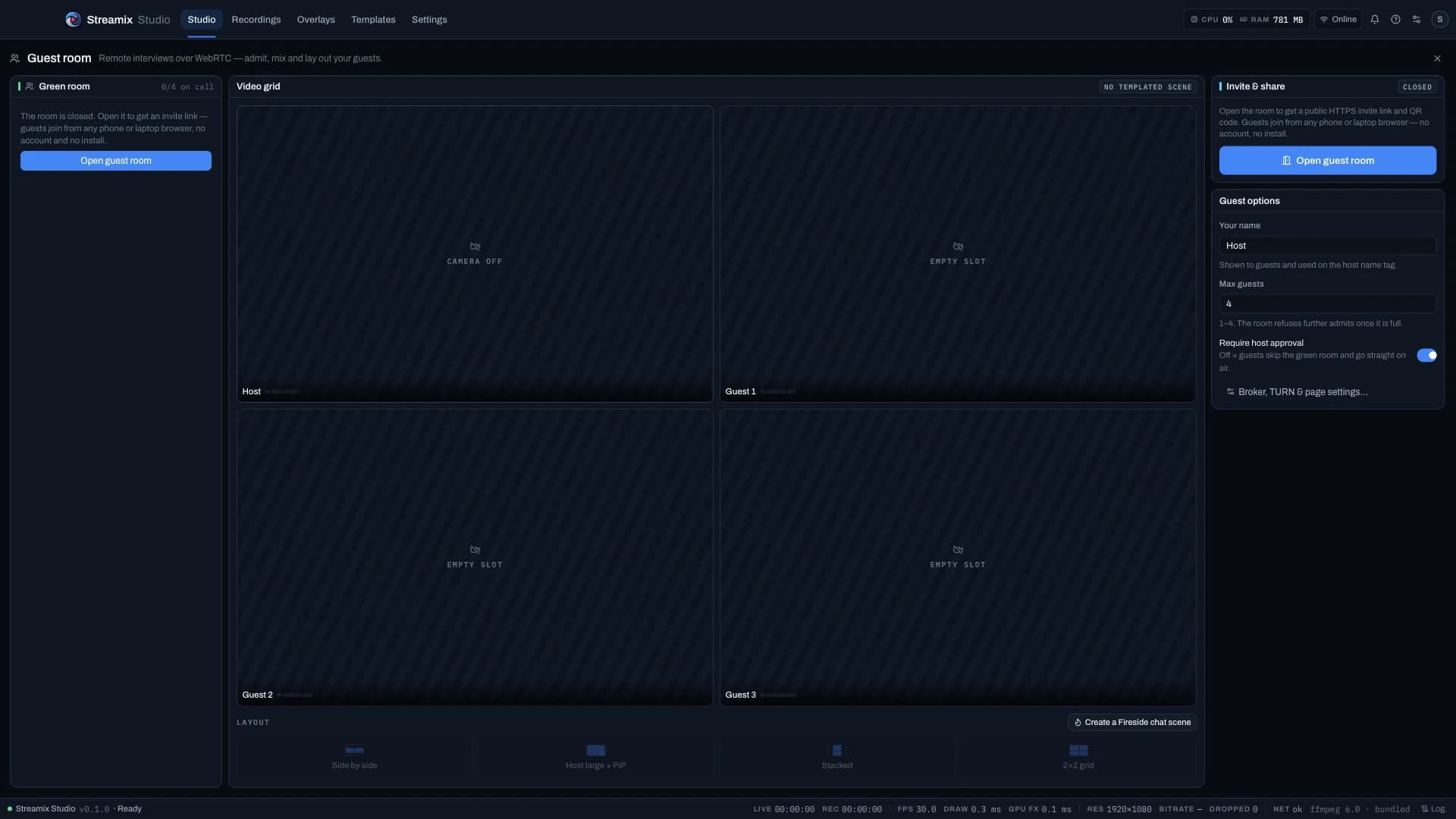
Fireside remote guests
Open a room, share the link, admit from the green room, put them on air. Signalling runs on Streamix’s self-hosted PeerServer; media is direct WebRTC.
DetailsPublic HTTPS guest page
Invites and QR codes point at a public HTTPS page (real TLS, any network) with the room id and PeerServer in the URL fragment, so the static host never sees them.
DetailsFireside, Interview & Podcast templates
A procedural animated fireplace behind two rounded tiles, warm grade + vignette and compact name tags; Interview with a cool grade and an armed lower third; Podcast with waveform bars under each name.
DetailsFoundation
Platform
macOS and Windows builds, a licence service with offline grace, and the reliability plumbing that keeps a stream up when a cable does not.
Open the Platform detail page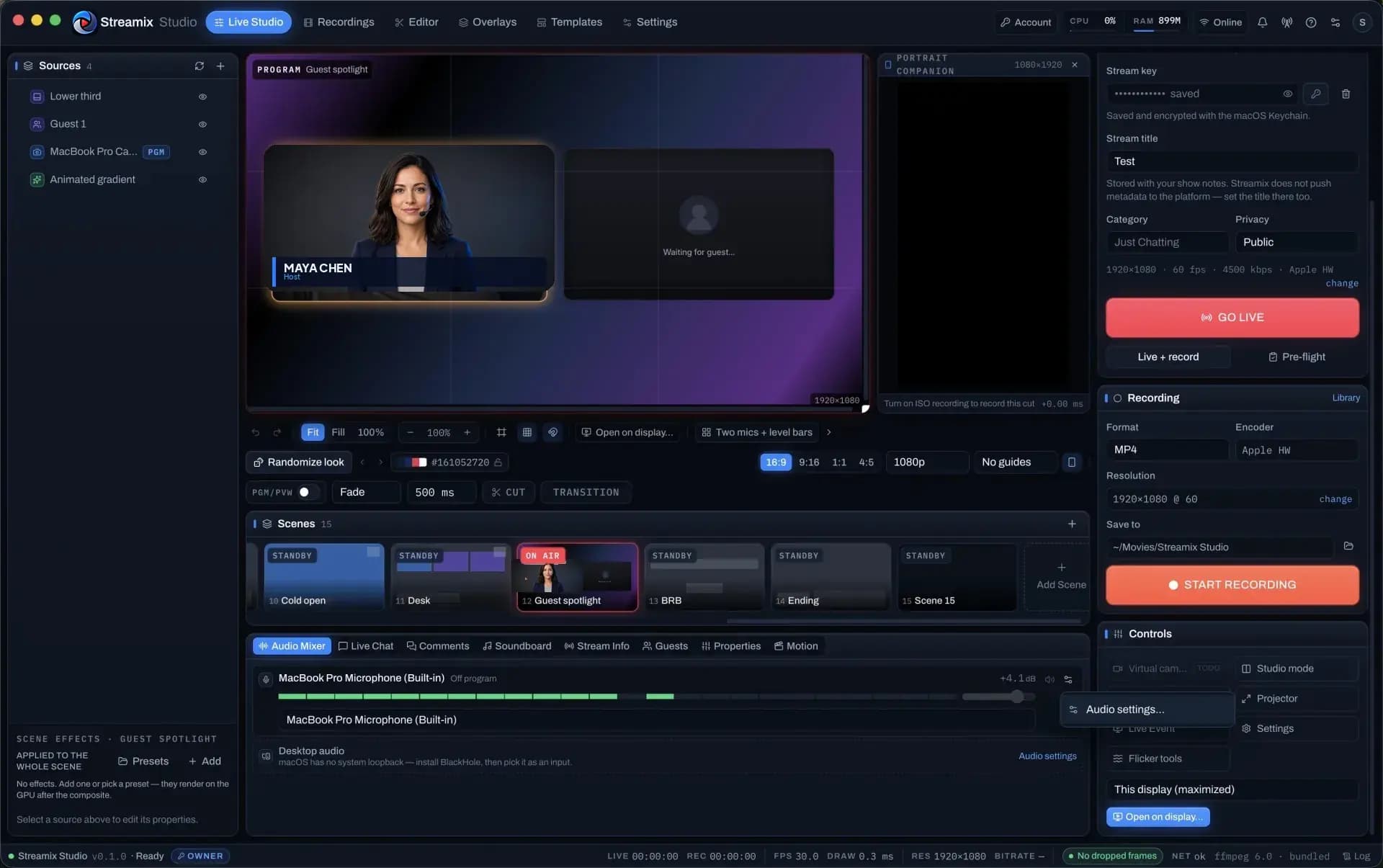
macOS & Windows
macOS (Apple Silicon and Intel) is the primary, hardware-tested target. Windows 10 / 11 x64 builds, installs (NSIS + portable) and is unit-tested; its DirectShow, NVENC / Quick Sync / AMF and window-chrome paths were cross-built from a Mac.
Details4K streaming & recording
A 3840×2160 canvas with HEVC / AV1 encoders, platform ingest caps with sources (YouTube 4K via Enhanced RTMP, Twitch 1080p60, Kick / Facebook / TikTok 1080p), and an adaptive ladder 4K60 → 4K30 → 1440p → 1080p with hysteresis.
DetailsLicensing: plans, trials, offline grace, device seats
Creator / Pro / Business share one entitlement map; every install and every new account gets a 14-day Creator trial (no Free tier); 7 days of offline grace after the last successful check; 2 / 5 / 25 device seats.
DetailsOwner & admin tooling
An admin console over the licence API: customers, licences, devices, subscriptions, payments, trials, support, release feed, analytics and an audit log for every mutation.
DetailsReliability & security
Watchdogs, encoder reset → input restart → ffmpeg respawn, orphan reaping, atomic settings with a .bak and zod repair, a crash-isolated UI, and stream keys encrypted at rest and redacted from logs.
Details